


By default a consultation includes consents, procedures, and prescriptions. Consultation Forms lets you add extra forms (for example Medical Questionnaire or Healthcare Assessment) that appear first (numbered 1a, 1b, 1c) before those later steps.
Open Consultation Forms
- Open Form Management.
- Click Consultation Forms.
- You see the configured list for the clinic you are working in.
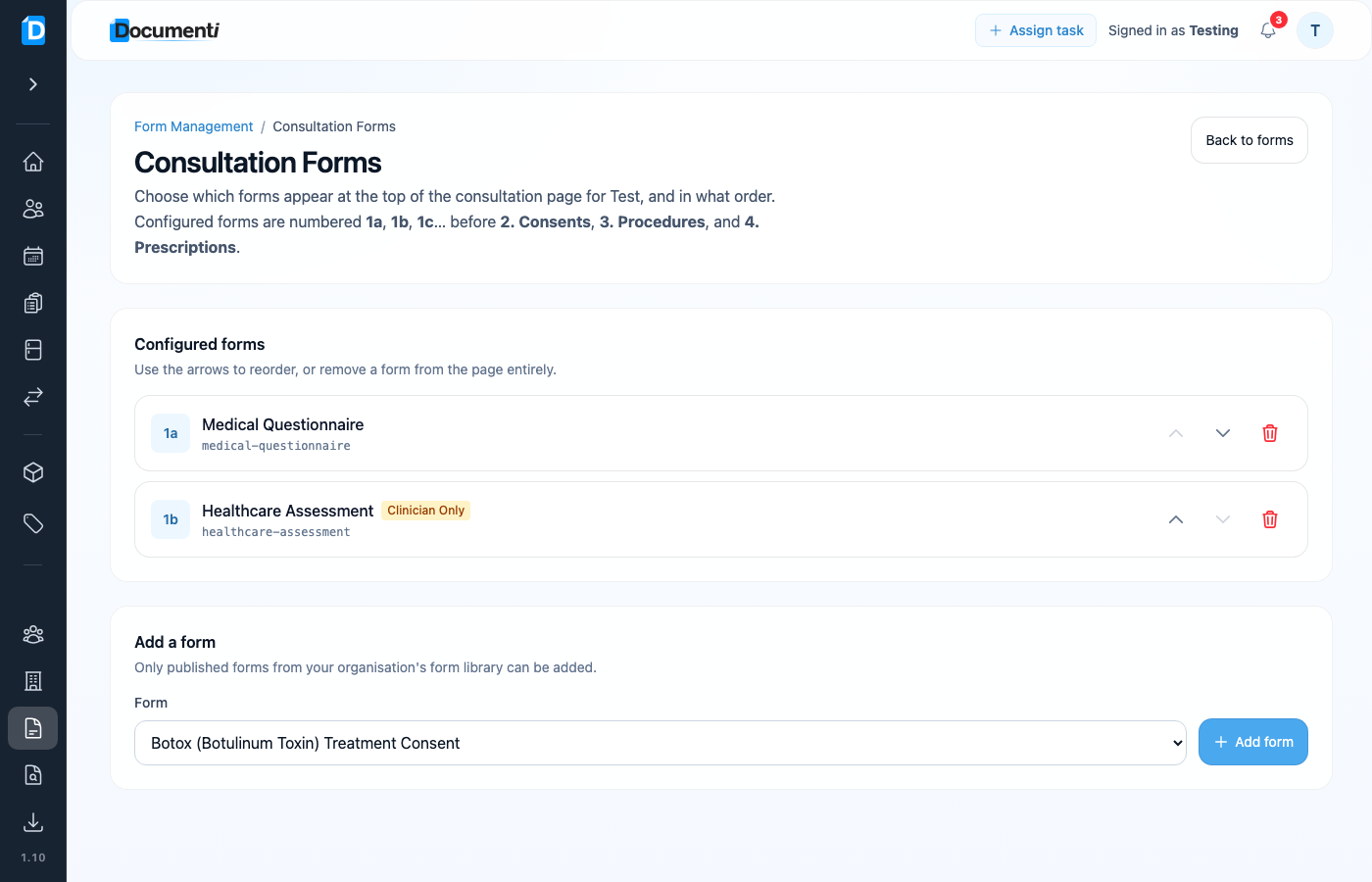
Reorder, add, or remove
- Use the up/down arrows to change order. That is the order clinicians see on the consultation page.
- Remove a form from the consultation page with the bin icon (the form itself stays in your library).
- Under Add a form, pick a published form from your library and click Add form.
Tip
Only published forms can be added. Draft imports from Smart Form Importer must be published first.
