


Consent forms, medical questionnaires, and BDDQ screens live in Documenti. The form content stays confidential in Documenti; when it is time to email a patient, Documenti tells Clinic Membership to send a branded link using your clinic sender.
Note
Draft forms are invisible to procedures and automation. Always open View to check the patient-facing form, then Publish when you are happy with the wording.
Browse templates or start from blank
- Sign in at app.documenti.co.uk and open Forms.
- Click to add a new form: choose Start from blank or Browse templates.
- Templates include common aesthetics consents and medical history layouts you can adapt.
- Edit sections, questions, and legal wording to match your clinic.
- Save: the form stays in Draft until you publish it.
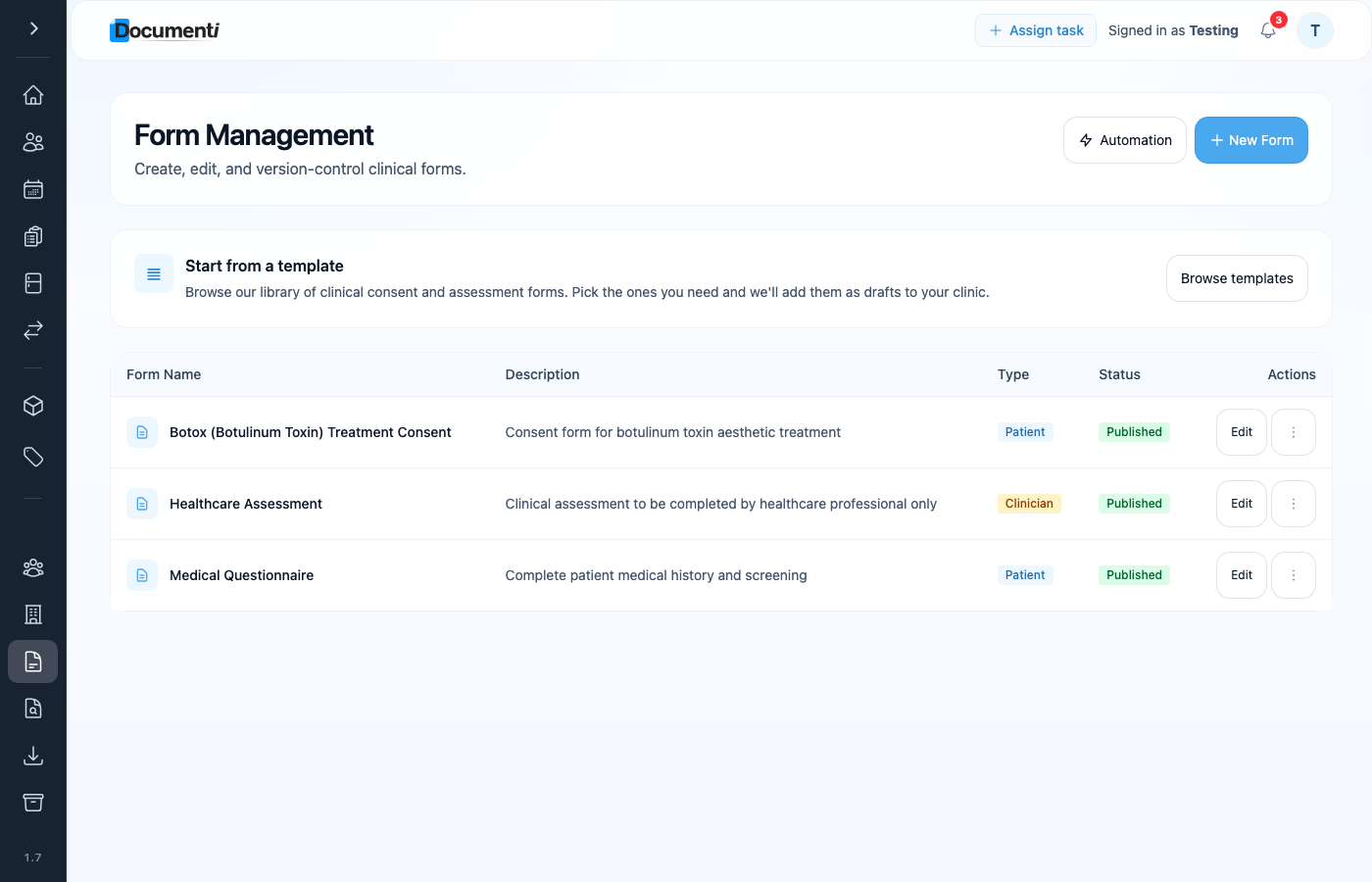
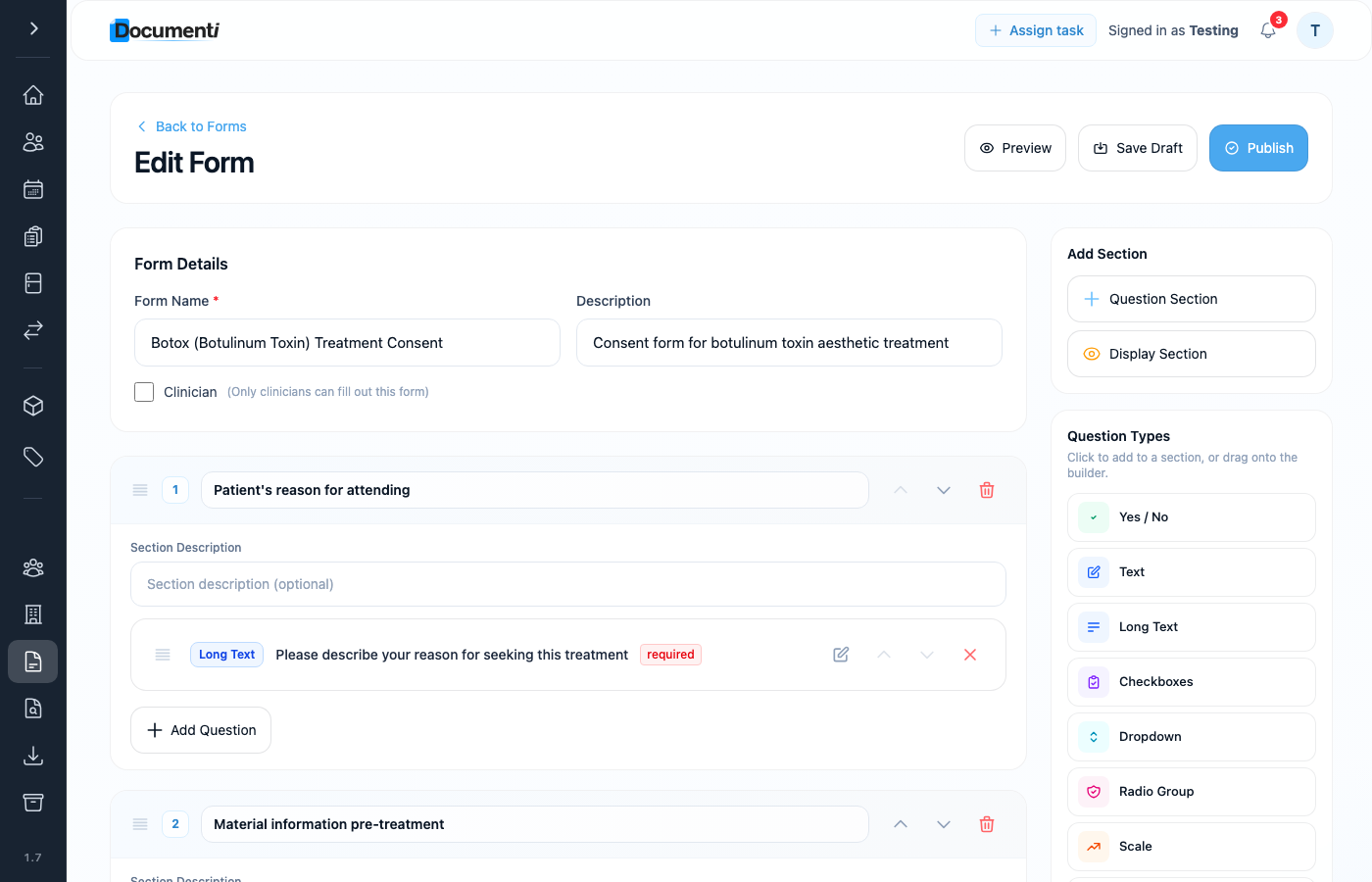
View and publish (required)
- Open the form from your forms list.
- Click View (or preview) to see exactly what the patient will complete.
- Check layout, signature blocks, and clinic-specific wording.
- Click Publish, only published forms can be linked to procedures or used in automation.
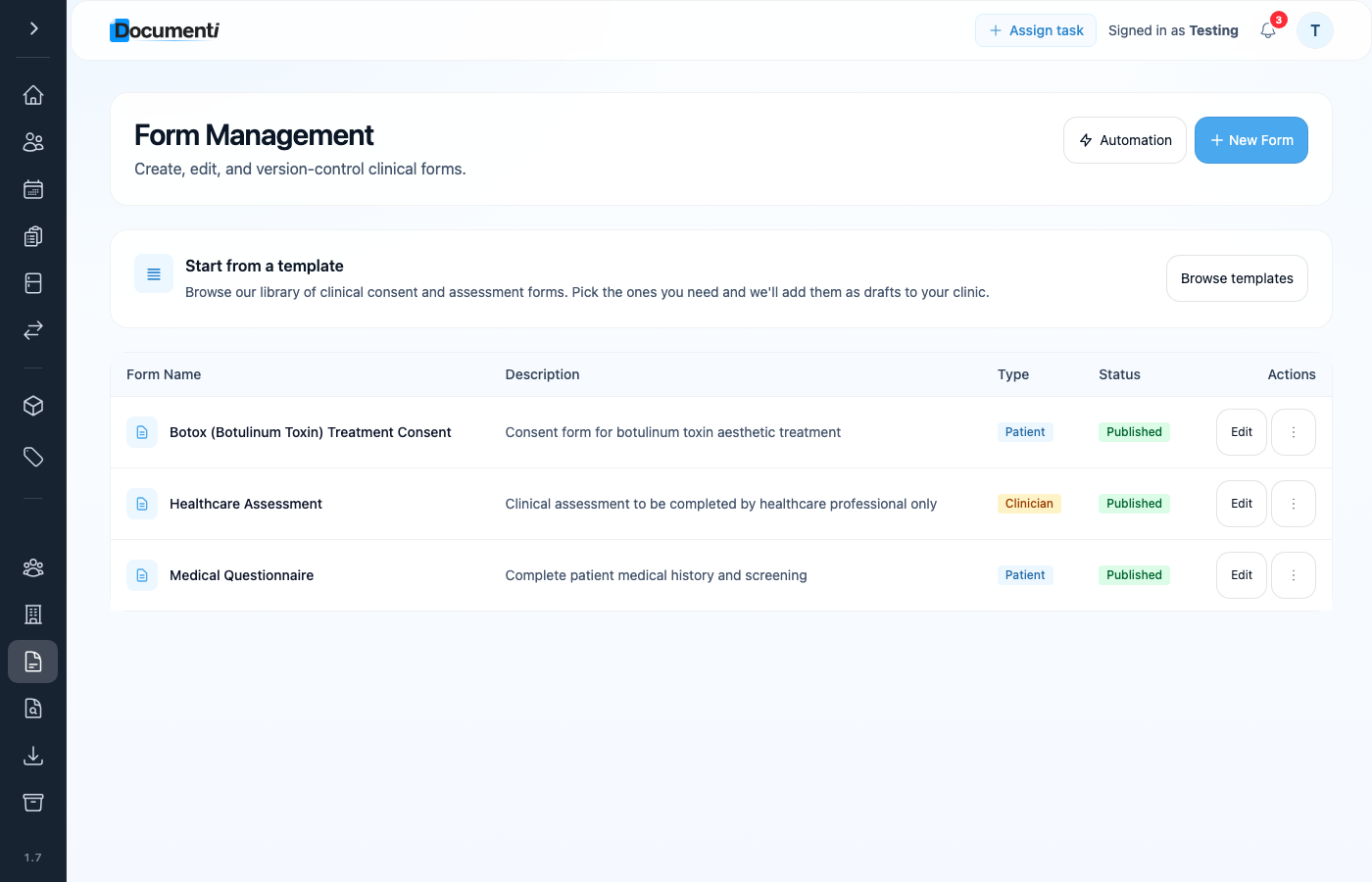
Form automation: send before treatment
Use Automation at the top of the Forms area to set rules that email patients before their appointment, for example a medical questionnaire, BDDQ, or consent that must be completed in advance. Documenti stores the form and the rules; Clinic Membership sends the email when the rule matches a booked patient.
- Open Forms from the main menu.
- Click Automation at the top of the page.
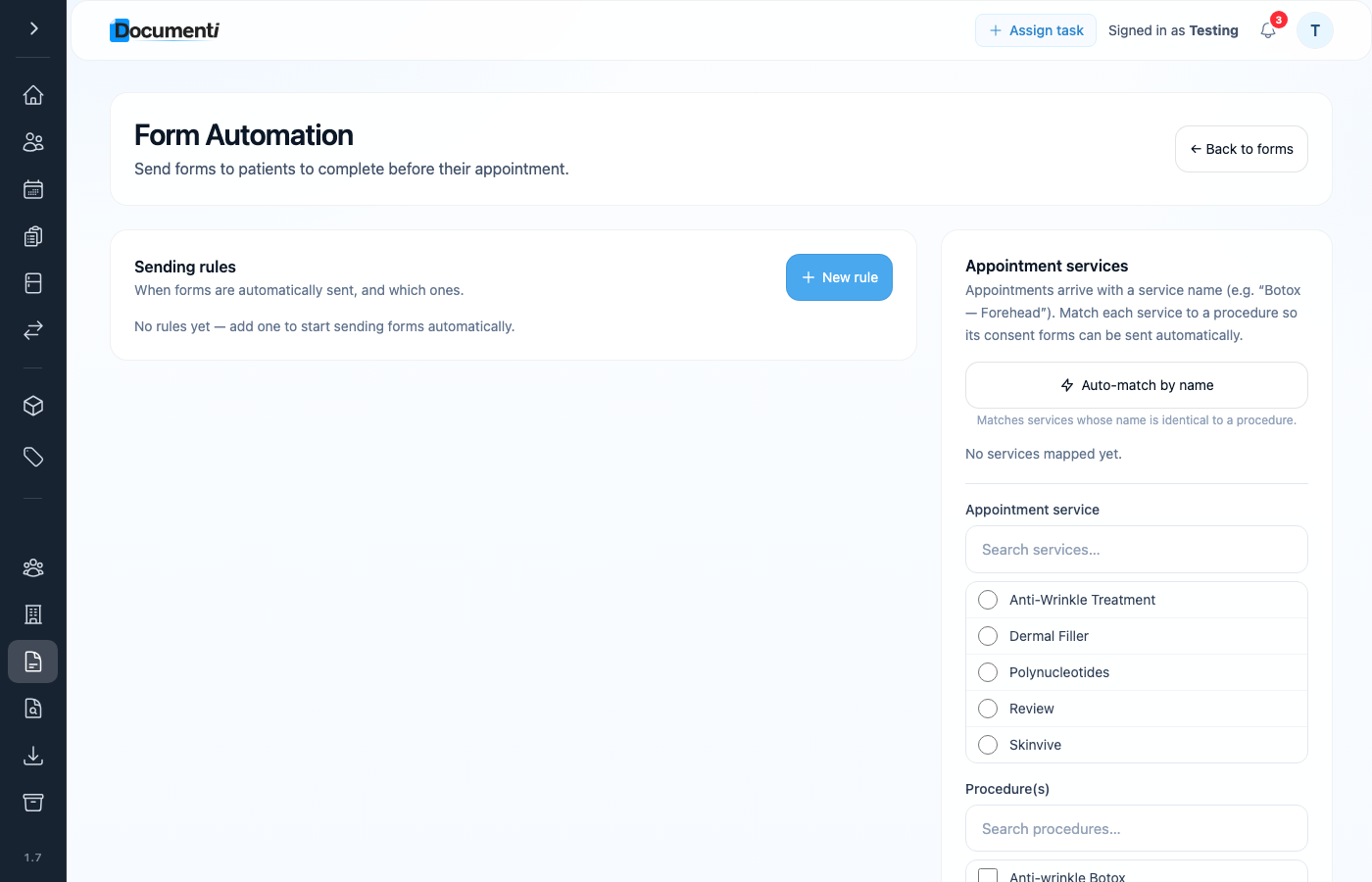
Sending rules
- On the Automation page, click New rule under Sending rules.
- Choose the published form and when it should send (for example X days before appointment, or when a specific procedure is booked).
- Save the rule. Patients who match receive a secure link by email from your clinic.
- Completed forms stay in Documenti; Clinic Membership does not store the clinical answers.
Tip
Already have a consent PDF or Word form? Import it with Smart Form Importer instead of rebuilding from blank. You can also set consultation form options (required fields and layout) once forms are published.
Tip
Configure your email sender in Clinic Membership first (Settings → Communications) so automated form emails come from your clinic address.
What happens next
Import a form with Smart Form Importer
Import an existing PDF or Word consent into Documenti.
Consultation form options
Required fields and options on consultation forms.
Set up procedures in Documenti
Link published forms to each procedure and treatment options.
Send a form to a patient
What patients see when a form email arrives.
Communications and email templates
Set up your clinic email sender in Clinic Membership.
