


Discount presets speed up reception checkout, staff pick a saved discount instead of calculating percentages manually. Each preset can apply to the entire sale, products only, or treatments and services only. This is separate from membership perks or service-level prepaid rules.
Create a discount preset
- Click Sales in the top navigation, then Discounts, or go to Admin → Discounts.
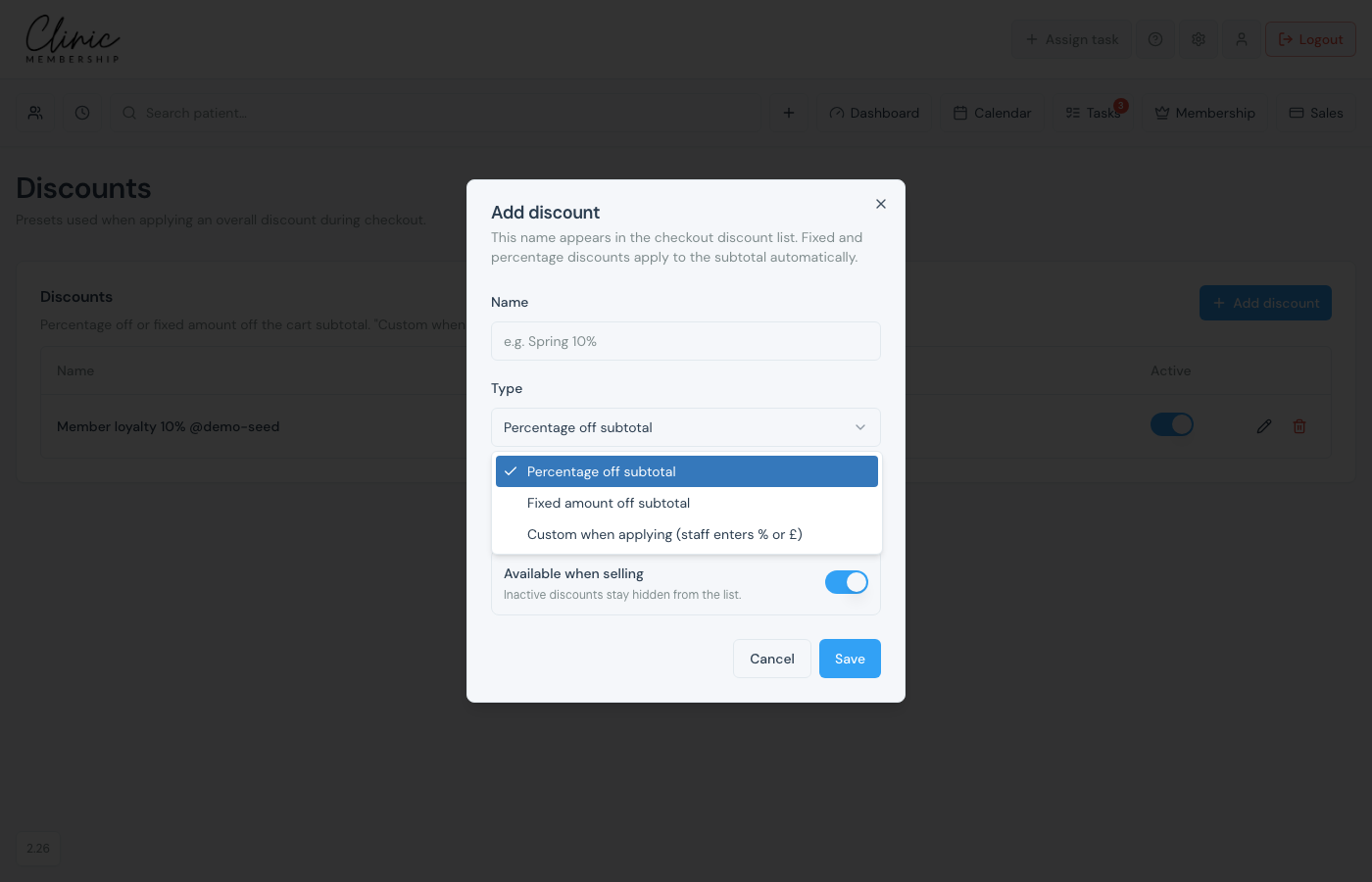
- Click Add discount.
- Enter a name and choose percentage off or a fixed amount.
- Choose what it applies to: the entire sale, products only, or treatments and services only.
- Save: the preset appears in the list for POS.
Apply a discount in Sales
- Open Sales and build a cart for the patient.
- Click Apply discount (or Change discount).
- Choose a named preset, Custom (type amount), or No discount.
- Optional: with a preset selected, enter an Optional extra £ off on top of the preset and click Apply extra.
- Review Total after discount, then Checkout: create invoice.
Tip
A products-only preset leaves treatments at full price, and the other way around. Optional extra £ off, and Custom (type amount), still come off the whole sale. Membership retail perks are configured on membership plans, not here.
