


Memberships let patients subscribe to a package of treatments (for example anti-wrinkle every three months). Set your business rules first, then link services on the Services tab so booking and checkout stay in sync.
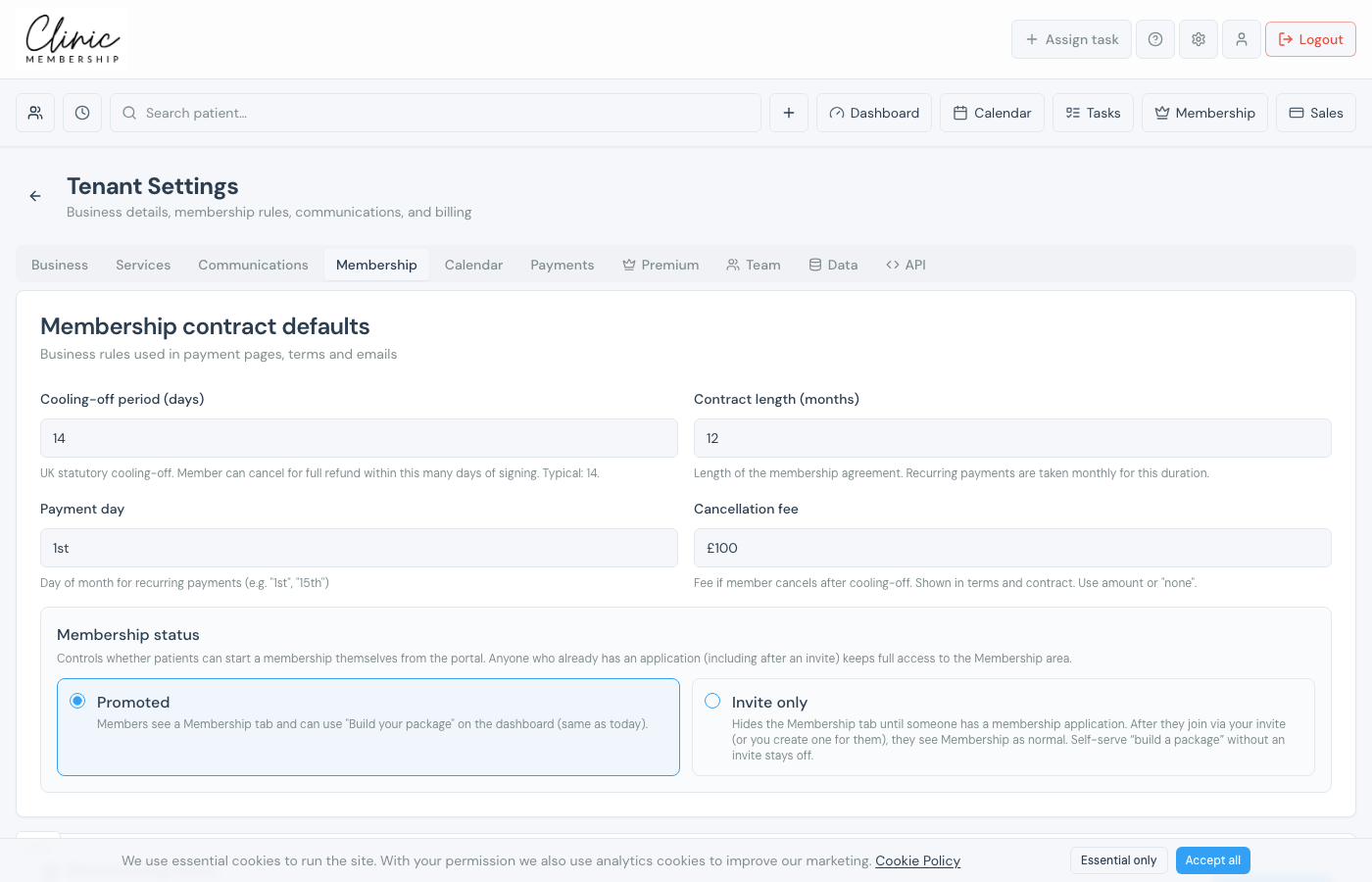
Membership contract defaults
- Go to Settings → Membership.
- Set cooling-off period, contract length, payment day, and cancellation fee. These appear in terms and checkout.
- Choose Promoted (patients can start from the portal) or Invite only (you invite each member).
- Click Save settings at the bottom of the page.
Membership perks (optional)
Scroll to Membership Perks on the same tab to add reward tiers (for example a retail discount label or free treatments when patients choose larger packages in the builder). Save perks separately with the Save Perks button.
Link services to membership
- Go to Settings → Services and edit a treatment.
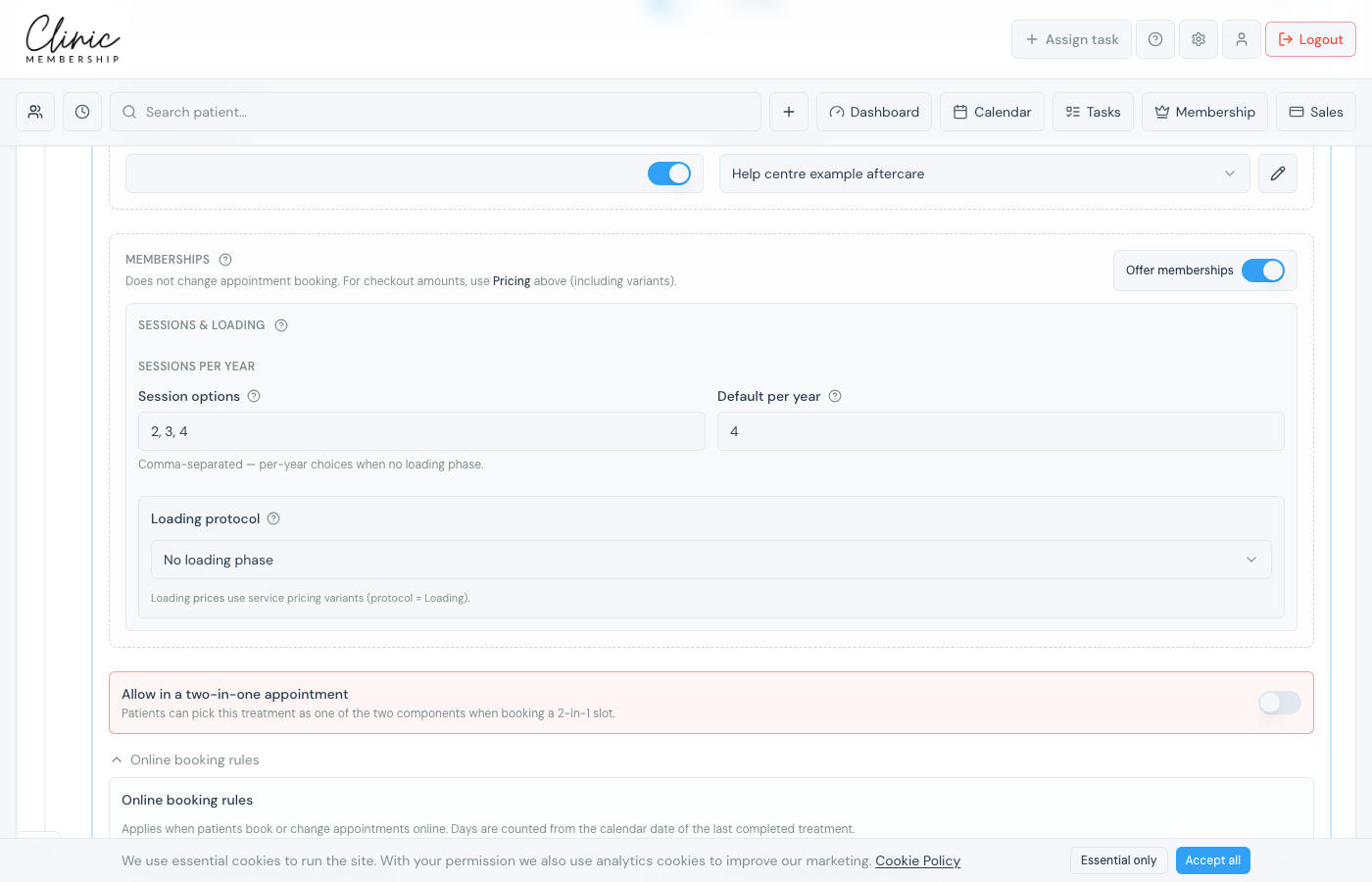
- Scroll to the Memberships section on the service form.
- Switch on Offer memberships and configure sessions per year or loading protocol for that row.
- If loading visits differ by area, tick Loading sessions differ by area and set how many loading visits each Loading price option uses. Add Loading rows under Pricing first.
- Save settings.
Note
To invite your first member, open Patients in the admin menu and use Add member. They receive a link to review, sign, and pay.
Membership packages (presets)
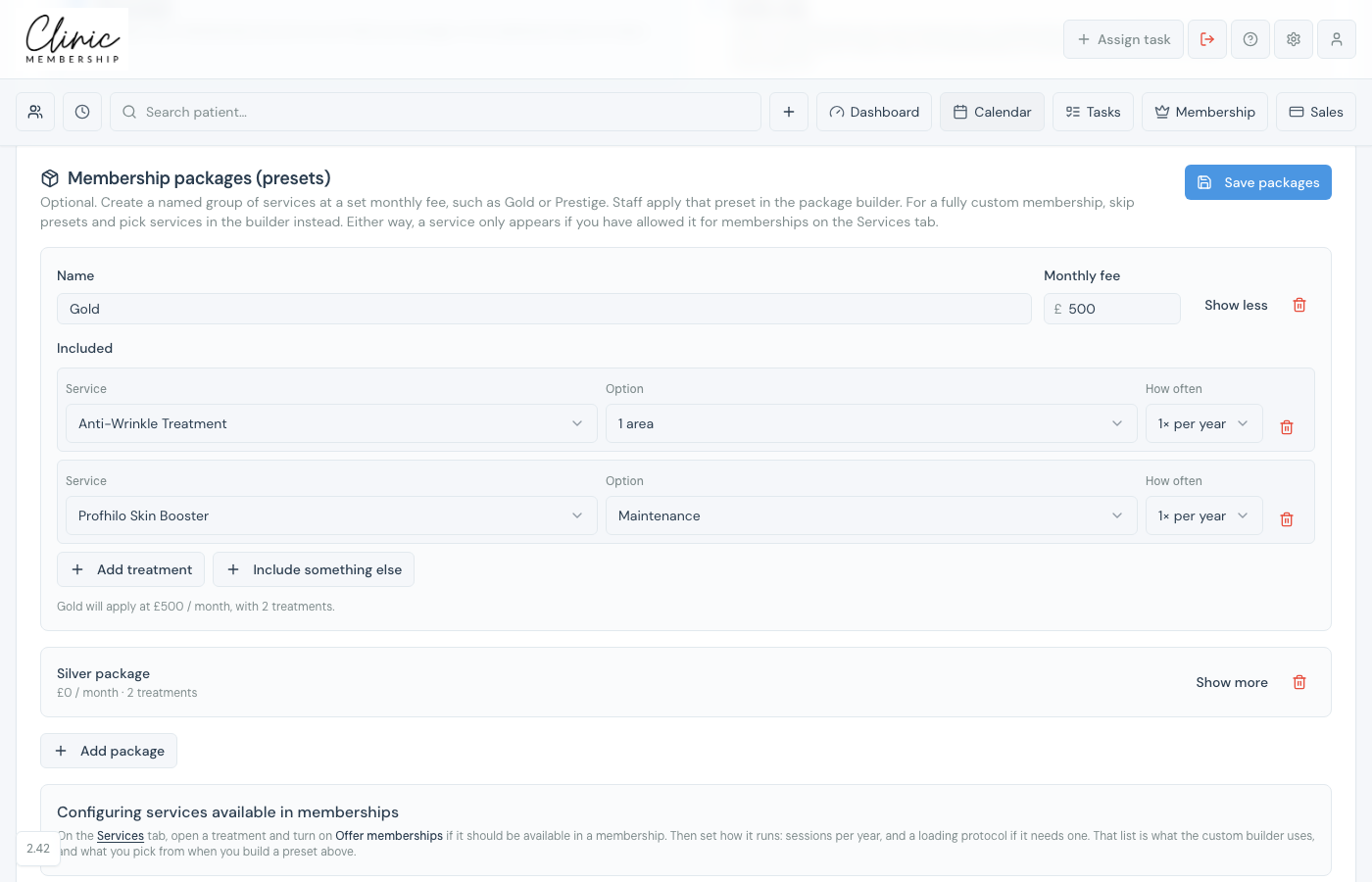
Optional saved plans that appear as Use a membership package when someone builds a package. Staff and patients can apply one in a tap, then edit it before sending or paying.
- Go to Settings → Membership.
- Scroll to Membership packages (presets).
- Add a package: name, monthly amount, included treatments with a yearly count, and any named extras.
- Save packages. The picker stays hidden until you have at least one saved.
Note
Presets are starting points. Offer memberships on each treatment you want people to add by hand. See Add patients to a membership.
