


Sales (point of sale) lets reception build a basket for a patient, turn it into an invoice, and take payment by card terminal, saved card, payment link, or record cash and other offline methods.
Start a sale
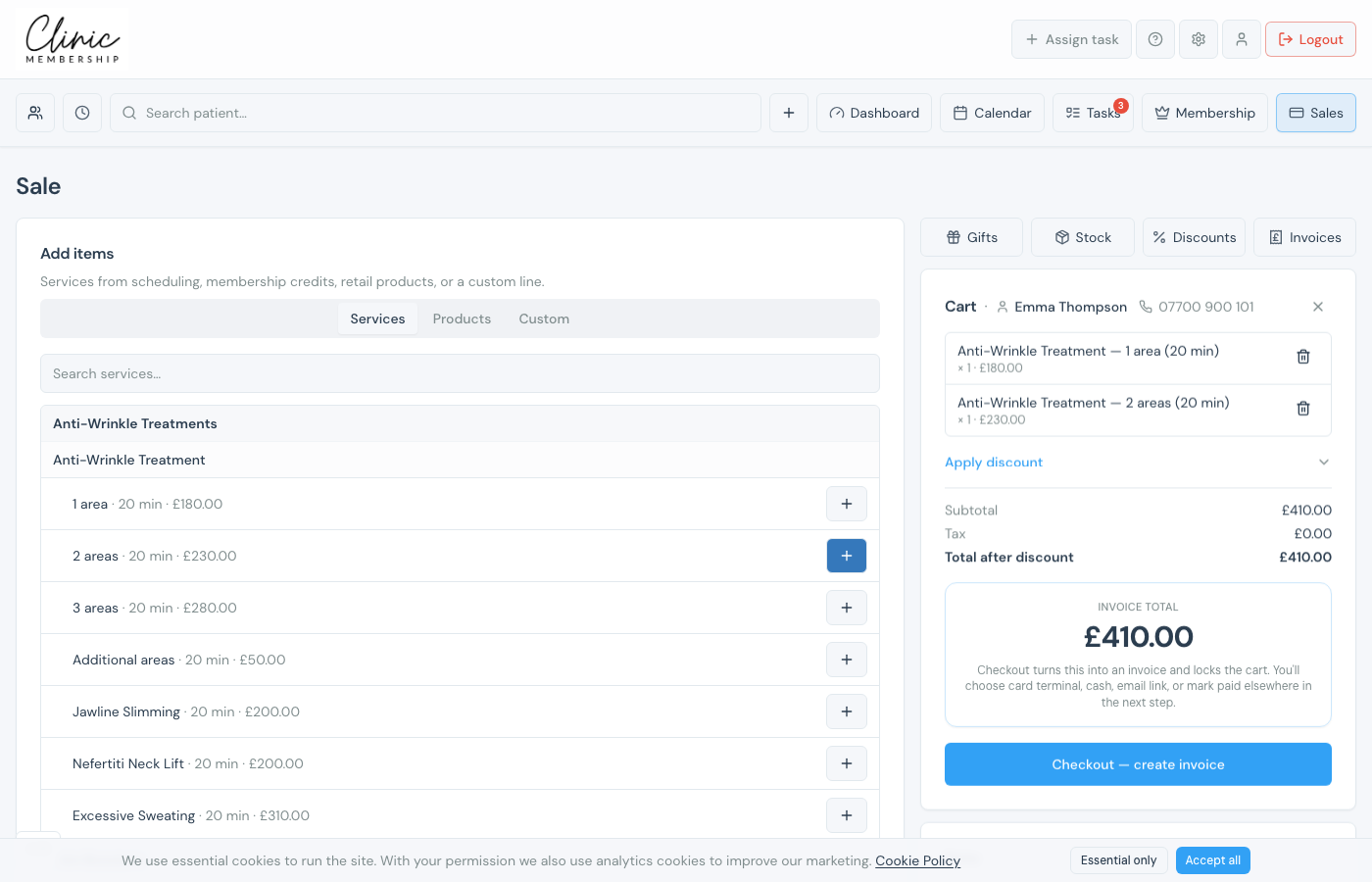
- Click Sales in the top navigation.
- Search for the patient (at least two characters).
- Add treatments, products, or custom lines to the basket.
- Optional: apply a discount, extra £ off, or account credit (see below).
- Click Checkout: create invoice.
Change a line total
Tap the £ amount on a cart line (tooltip: Click to change line total), type the new total, and press Save or Enter. The unit price and tax recalculate from that total, useful for a one-off price without re-adding the item.
Discounts and extra £ off
- Click Apply discount (or Change discount).
- Choose No discount, Custom (type amount), or a named preset. A preset only discounts the part of the sale it was set up for (entire sale, products, or treatments).
- With a preset selected, you can add an Optional extra £ off on top of the preset: enter the amount and click Apply extra.
- Review Subtotal, Discount, and Total after discount before checkout.
Apply account credit
If the patient has Account credit on their card (issued under Credit & vouchers. See Issue account credit), Sales shows Account credit with how much is available. Enter Credit to apply (max …) and click Apply. Totals show Account credit as a reduction, then Due after credit. Issue credit from the patient card first if the balance is zero.
Collect payment
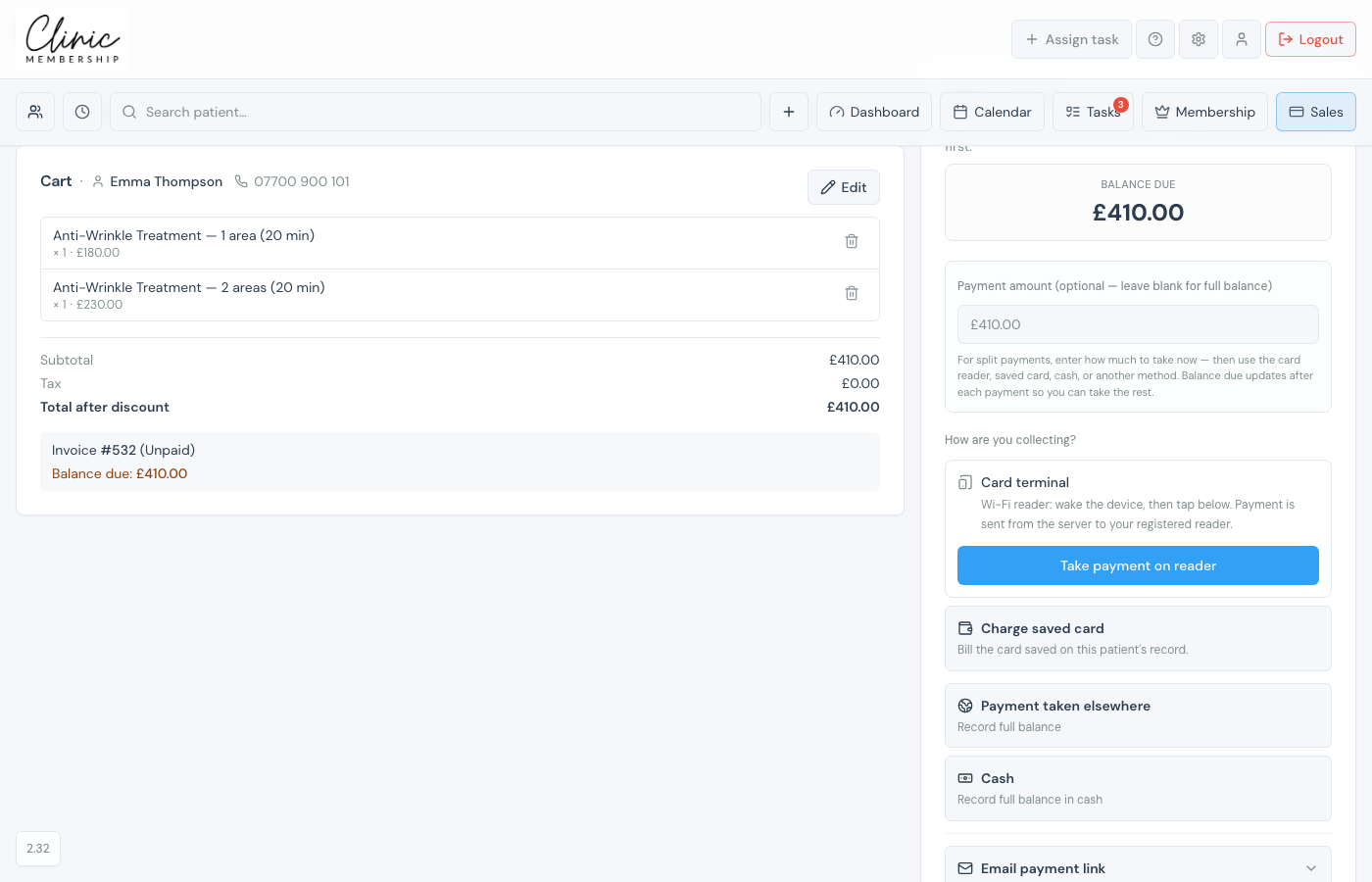
- After creating the invoice, choose how to collect, usable options are listed first: Card terminal, Charge saved card, Payment taken elsewhere, Cash, then Email payment link.
- For split payments (two cards, or card and cash), enter a Payment amount for the first part, take that payment, then take the updated Balance due for the rest, leave the amount blank to charge the full remainder.
- Paid invoices appear under Admin → Invoices.
What happens next
Issue account credit
Add account credit on the patient card before checkout.
Create discounts for Sales (POS)
Create discount presets for the till.
Order and use a card reader
Set up a Stripe Terminal reader for in-clinic cards.
Send a payment link to a patient
Email a pay link when the patient is not at the desk.
