


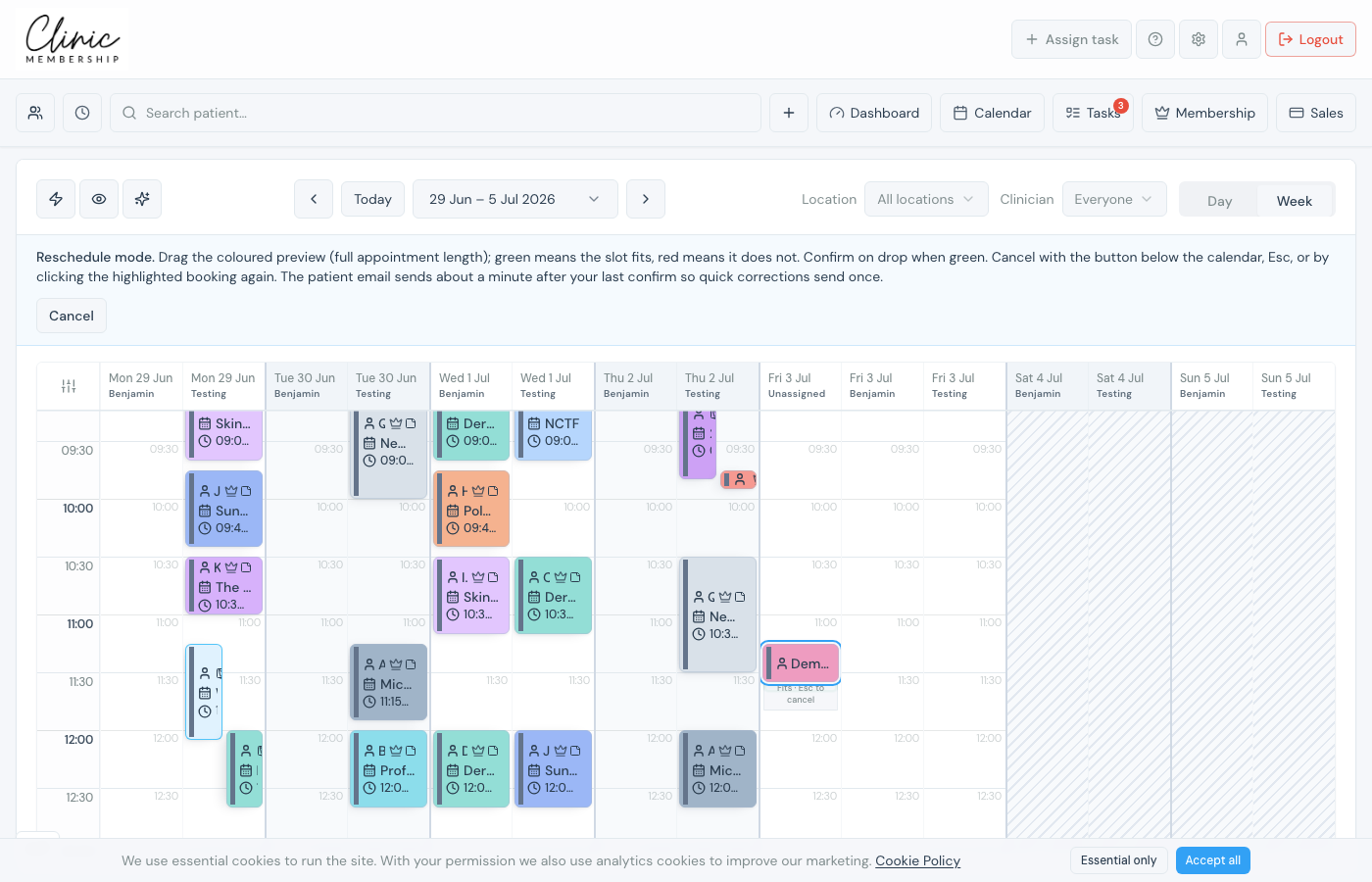
Staff can move visits on the diary without asking the patient to use online booking. Clinic Membership checks rota hours, other appointments, and busy blocks as you drag, green means the slot fits, red means it does not.
Drag to a new time
- Open Admin → Calendar.
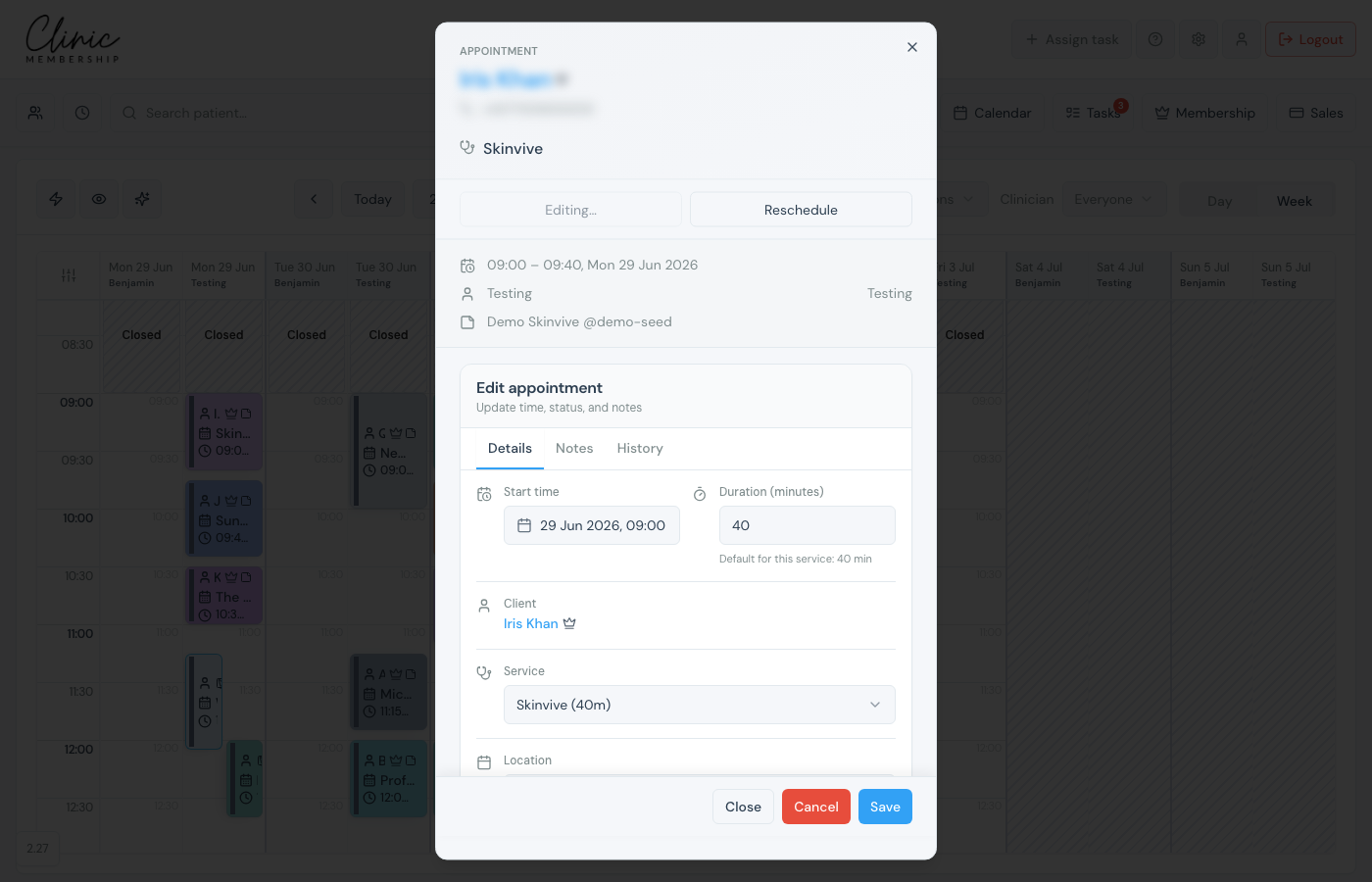
- Click the appointment tile to open the card.
- Click Reschedule: the card closes and the tile shows a move ring.
- Drag the appointment up or down for a new time, or across to another clinician column when the diary is split by person.
- Release on a green slot to confirm, or press Esc to cancel the move.
- If your clinic uses cancellation notice rules, confirm any policy prompt that appears.
Edit the start time in the form
Alternatively, click the appointment → Edit → change Start time or Duration on the Details tab → Save. This suits precise times without dragging.
Note
Rescheduling usually queues a patient email (updated time). Open Live activity and tap the stop button within about 65 seconds if you moved the wrong visit or are still fixing the diary. See Live activity and stopping patient emails.
