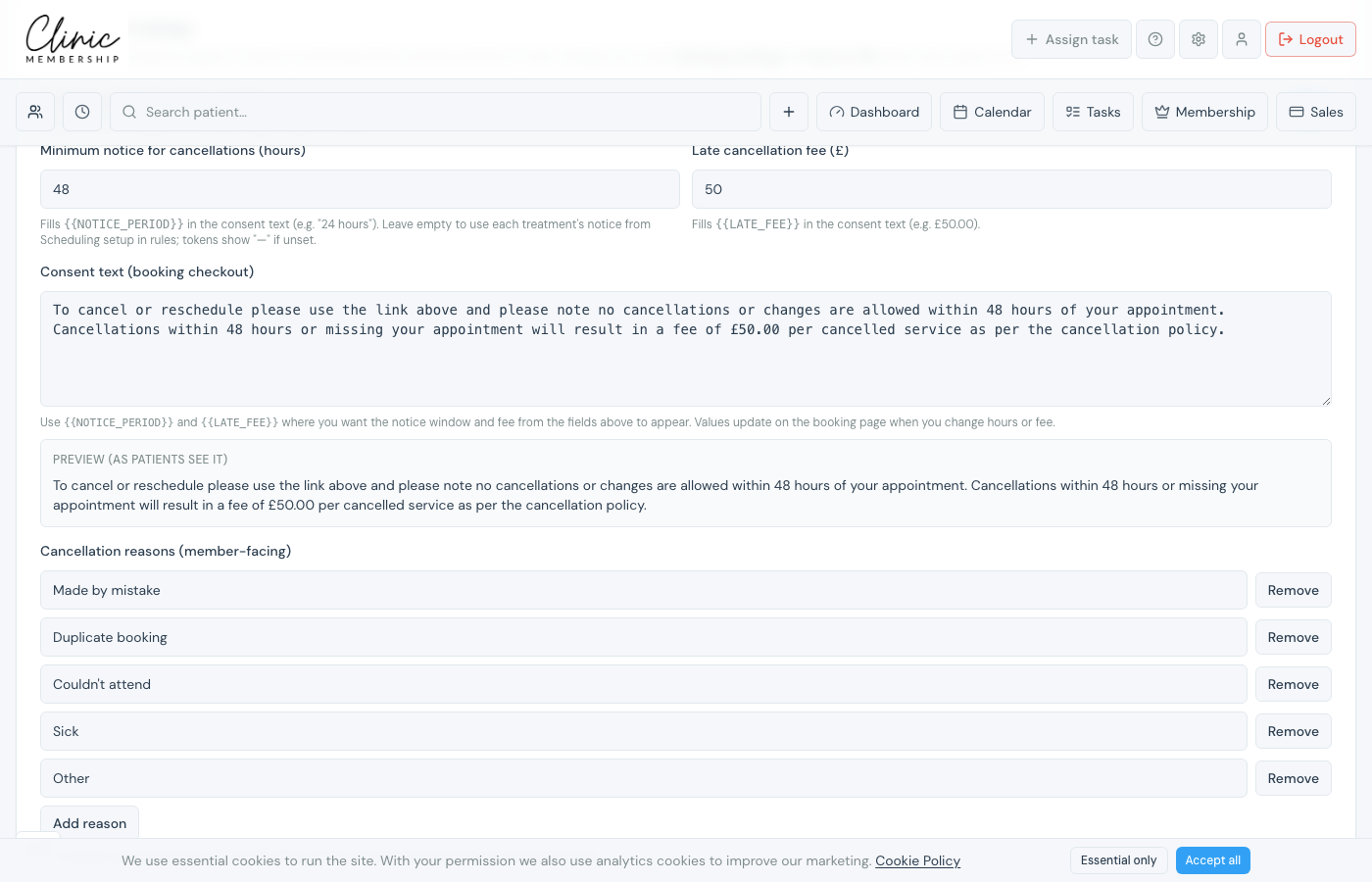
When card on file is enabled, notice and late fees live under Booking settings. You can also show a cancellation consent at booking so patients agree to your policy before they confirm.
Set notice and fees
- Go to Settings → Calendar → Booking settings.
- With Card on file for bookings on: set Notice required (hours) and Fee inside that notice (£).
- If card on file is off: use Cancellation settings for Minimum notice and Late cancellation fee instead.
- Click Save settings.
Show your cancellation policy at booking
- Scroll to Cancellation settings on the same page.
- Switch on Enable cancellation policy consent.
- Edit the policy text: use {{NOTICE_PERIOD}} and {{LATE_FEE}} placeholders where helpful.
- Click Save settings.