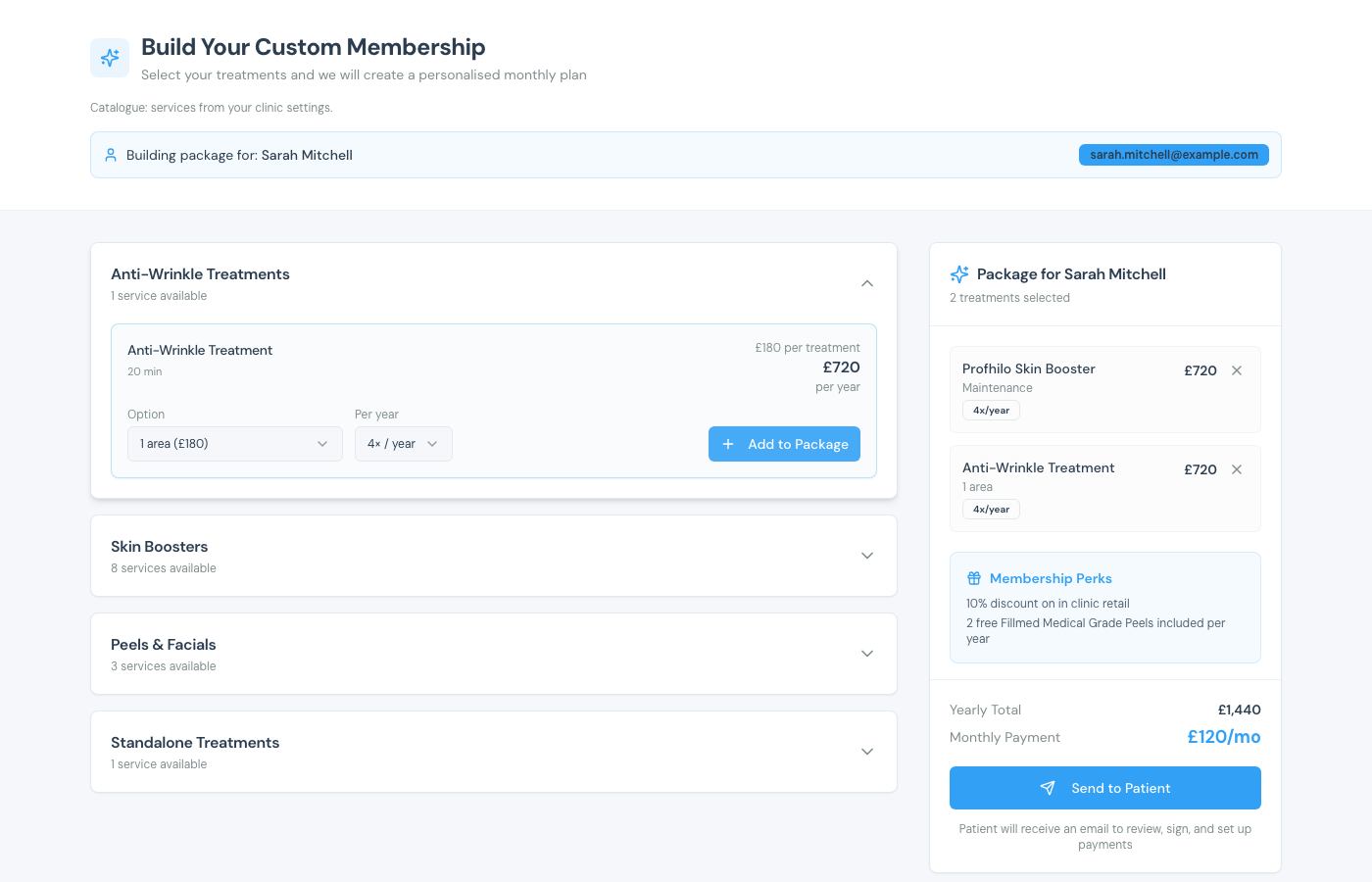
When someone has visit or checkout history but no membership yet, Clinic Membership can suggest a package from that history, useful for turning regular patients into members without building a plan from scratch.
Suggest from history
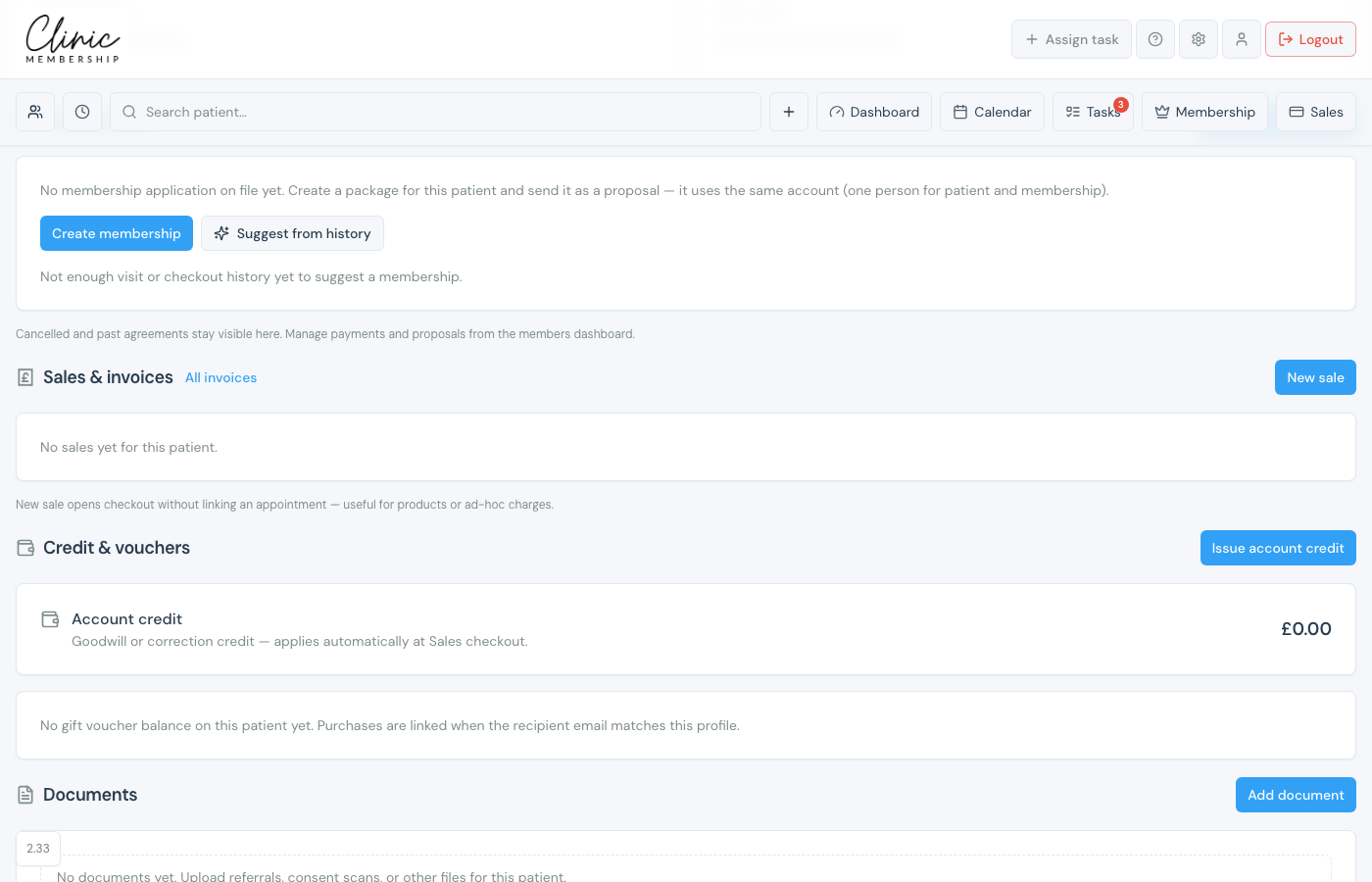
- Open the patient’s card (Admin → Patients or Search patient).
- Scroll to Membership.
- If there is no application yet, click Suggest from history (or Create membership to build manually).
Note
If you see Not enough visit or checkout history yet to suggest a membership, book and complete a few visits first, or use Create membership to build the package yourself.
Review the suggestion
- In the package builder, open the Suggestions banner.
- Optional: Show data to see which visits and checkouts drove the suggestion.
- Click Apply suggestion: treatments appear in the package (often as a maintenance plan when loading visits are already in history).
- Or tap Use a membership package to apply a prebuilt plan instead.
- Edit the package if needed, then Send to Patient.
- The patient reviews, signs, and sets up payment as usual.