


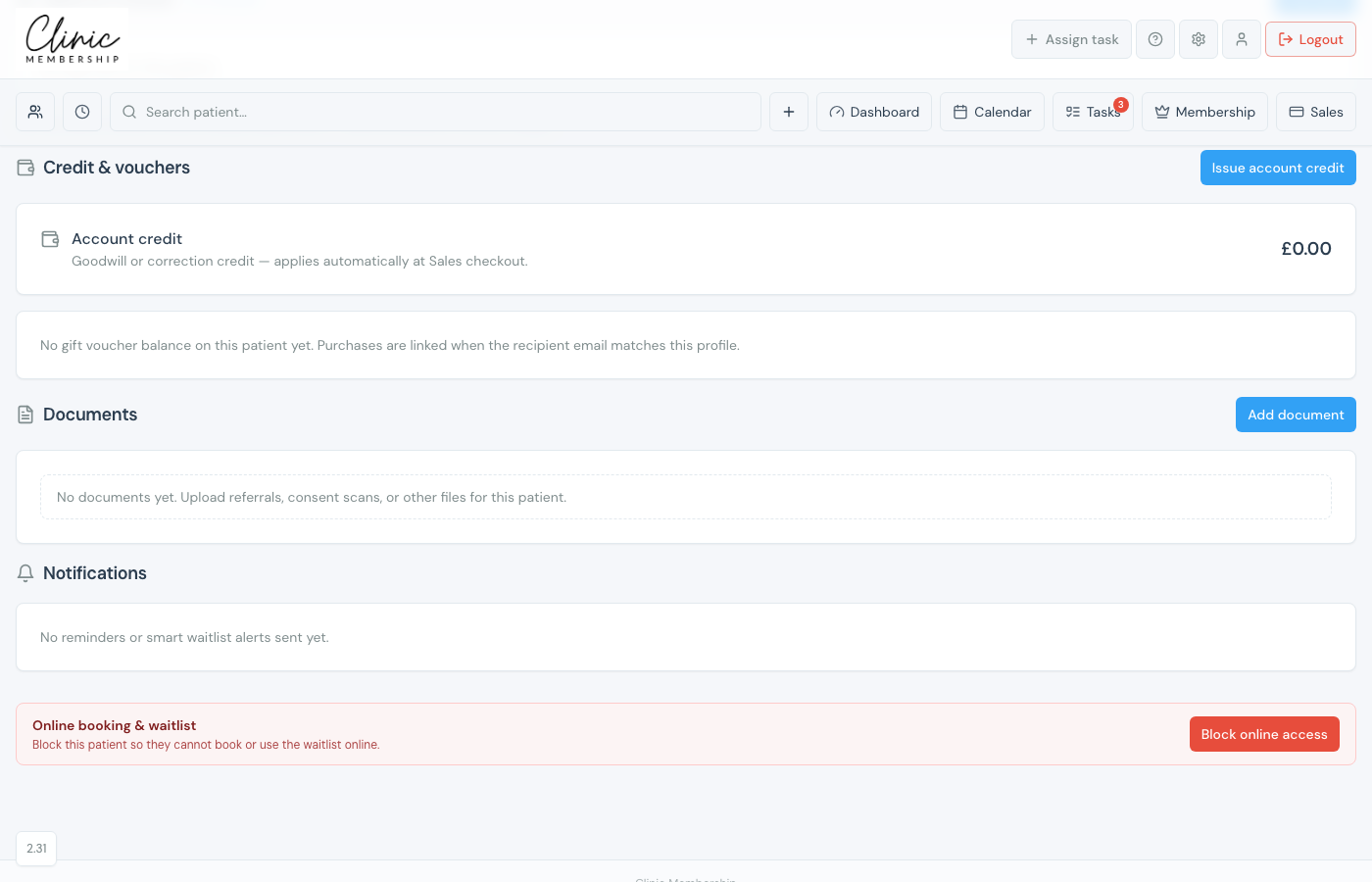
Account credit is goodwill or correction credit for the till, for example a missed discount or a gesture after a delay. You issue it on the patient card under Credit & vouchers. Reception then applies it at Sales checkout. It is not a gift voucher; gift vouchers are sold and redeemed separately.
Issue credit on the patient card
- Open the patient card (Admin → Patients, or Search patient in the top bar).
- Scroll to Credit & vouchers.
- Click Issue account credit.
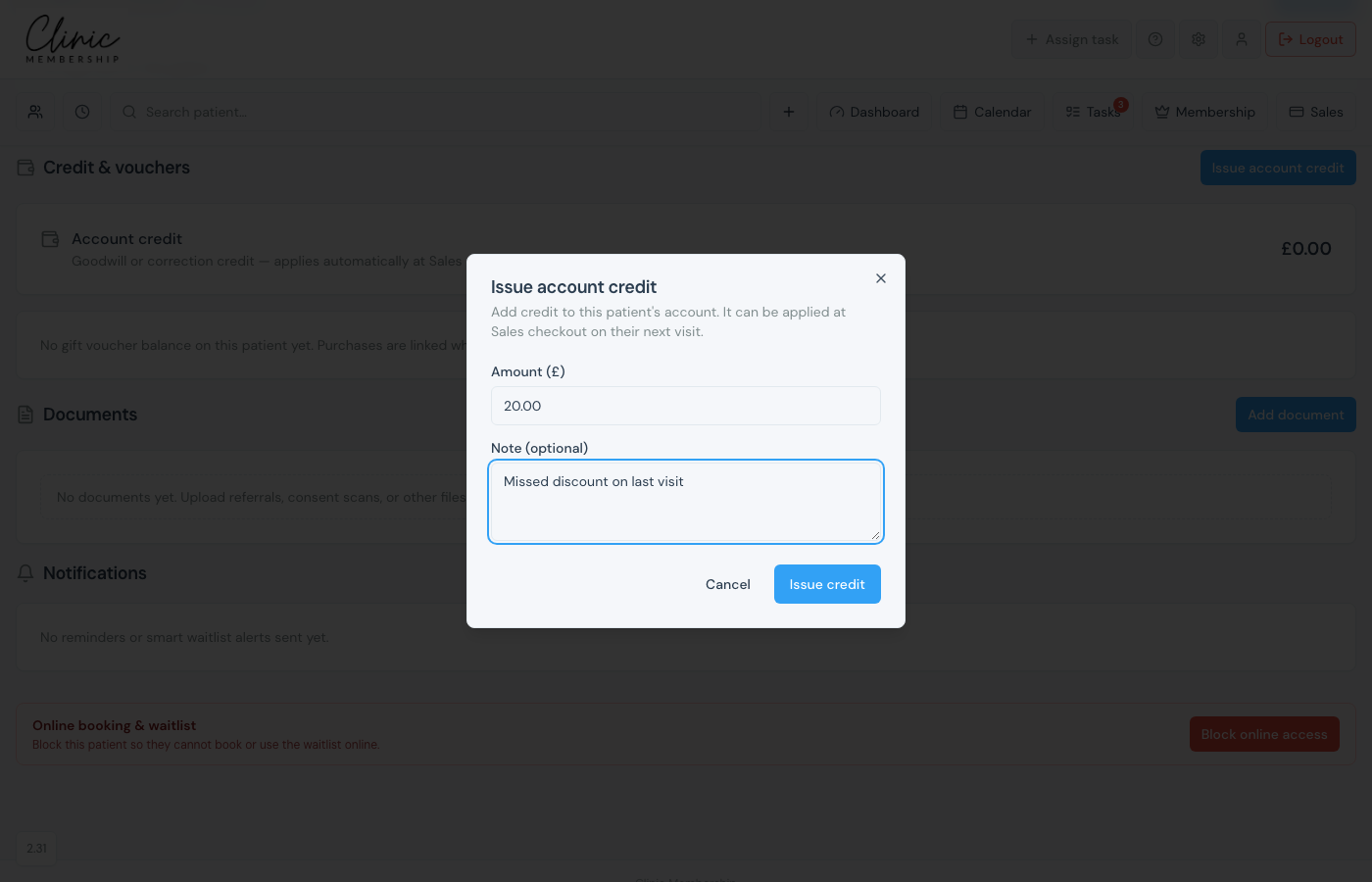
- Enter Amount (£) and an optional Note (for example “Missed discount on last visit”).
- Click Issue credit.
Balance and history
The Account credit balance shows how much is available. History under the balance shows each issue or removal with date, note, and who did it.
Note
Credit only reduces what the patient owes at Sales when reception enters Credit to apply and clicks Apply. Issue credit here first if the balance is zero.
Remove leftover credit
If the money was already settled outside Clinic Membership (another terminal, cash, or a credit added by mistake), click Remove on Credit & vouchers. Choose a reason. This writes a history line and does not refund a card.
