


When a patient does not attend, set the appointment status to No-show on the calendar. If card on file and a late fee are configured, you can charge the fee in one step or record the missed appointment without charging.
Before you start
Connect Stripe and turn on Card on file for bookings with a notice period and fee. See Set up card on file for bookings.
Record a missed appointment
- Open Admin → Calendar.
- Click the appointment.
- Click Edit.
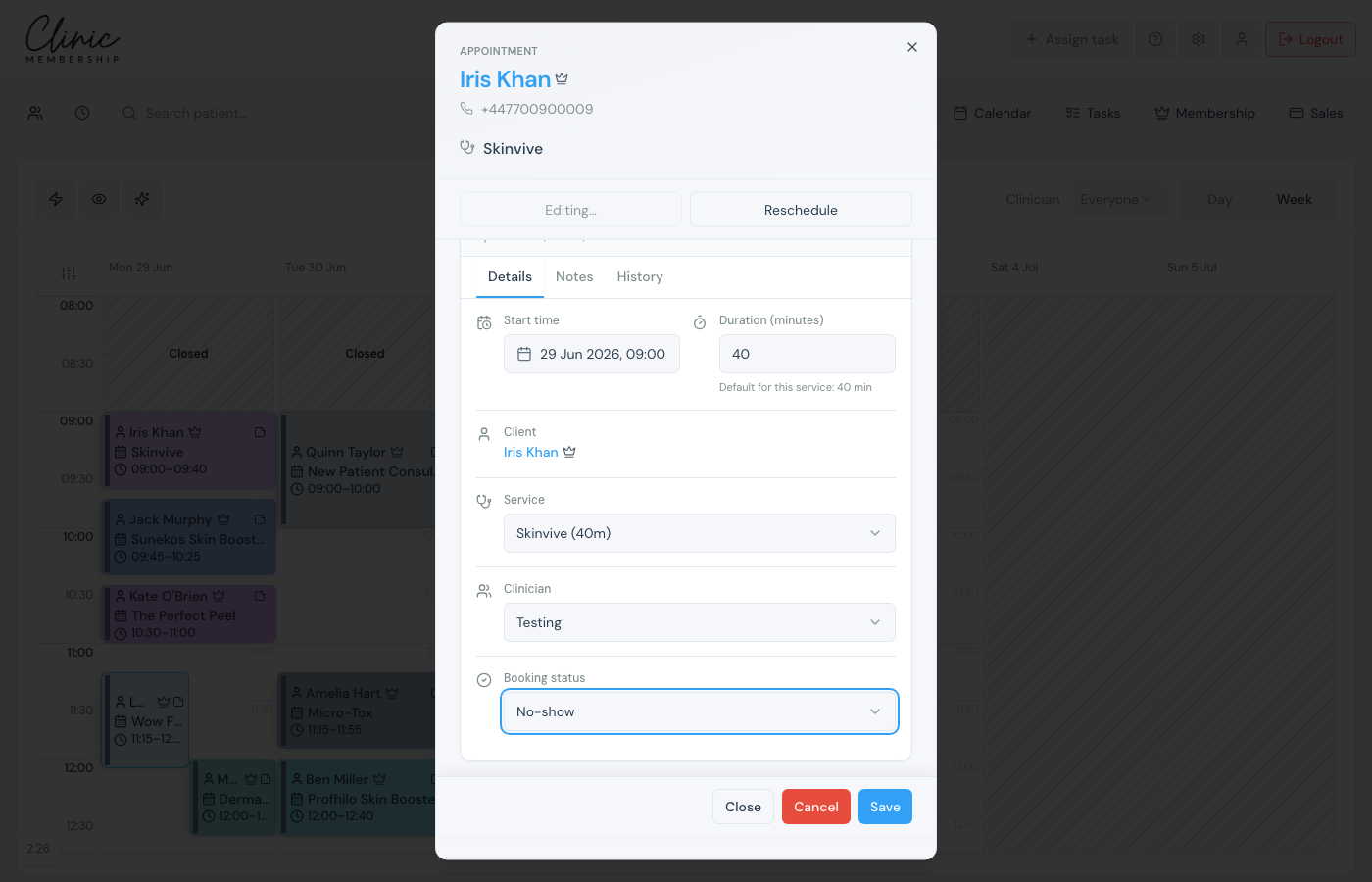
- Under Booking status, choose No-show.
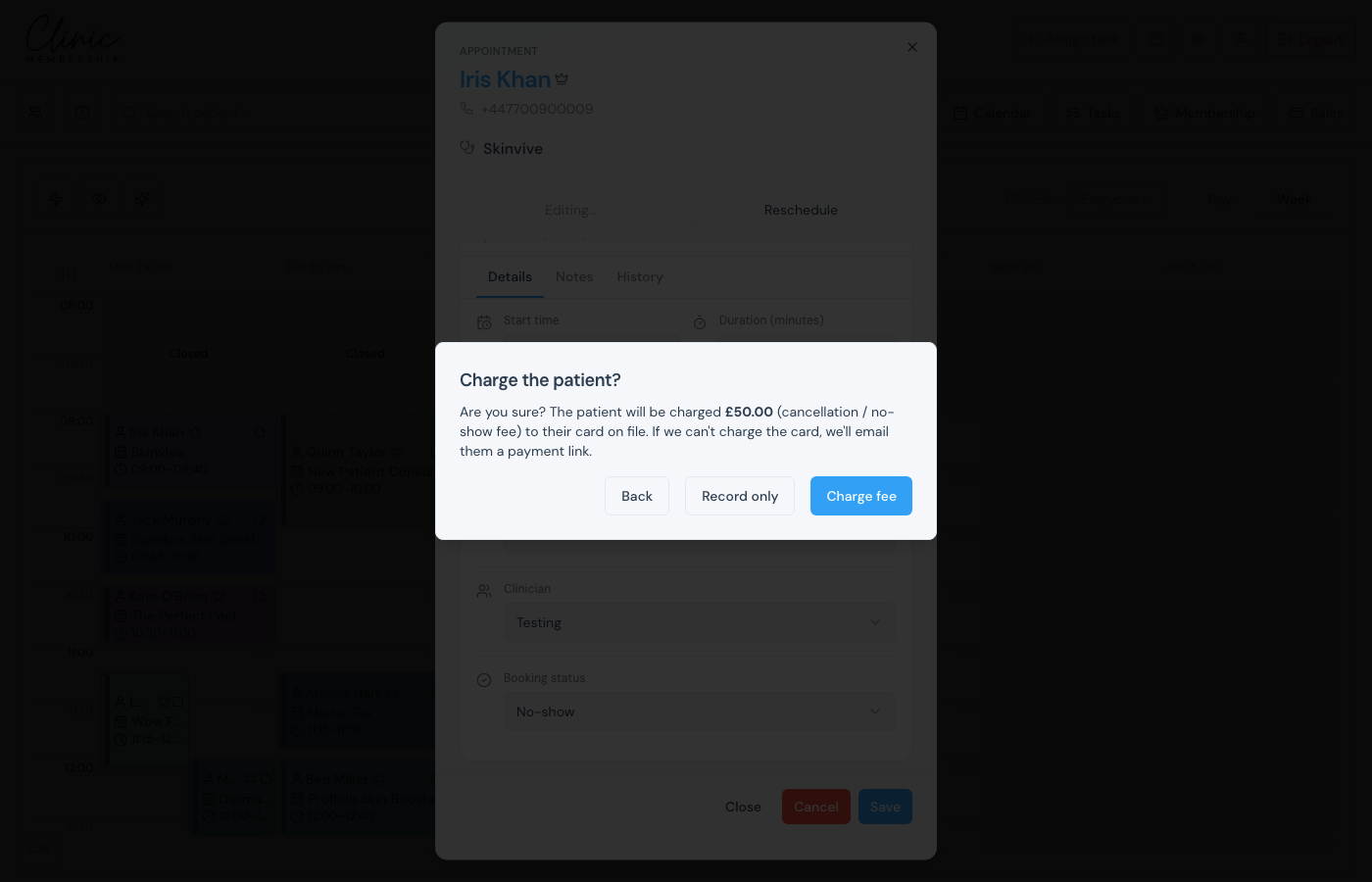
- Click Save. If a fee applies, choose Charge fee or Record only.
- Optional: remove the appointment from the calendar when prompted.
Charge or record only
When you click Save, a fee applies if the service has a cancellation / no-show amount and the patient booked within your notice window. Choose Charge fee to take payment from the card on file, or Record only to mark the missed appointment without charging.
Note
If the card cannot be charged, the patient receives a Did not attend email that refers to a missed appointment (and missed appointment fee when charged), with a pay link so reception can recover the fee without a phone chase.
