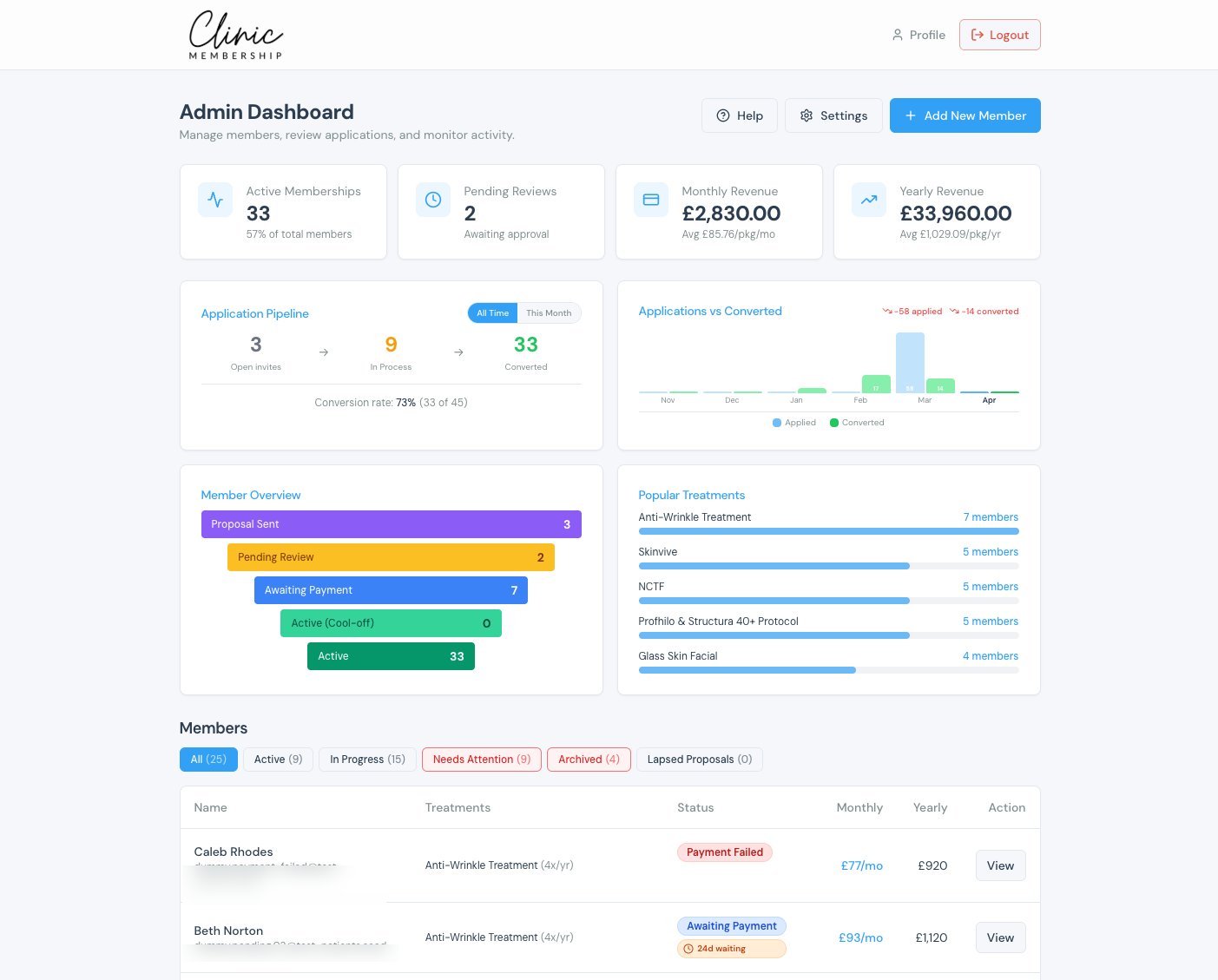

Clinic Membership puts help where you already work: over 100 Help articles in the Help Centre, a Send us a message link on every article, and an in-dashboard ? Help button when you are logged in. That is the support path when something breaks mid-clinic and a patient is still at the desk.
Clinic owners do not need a lecture on why support matters. They need to know how to reach it without leaving the admin screen, and how to find a written answer before they open a message. The rest of this guide covers those channels. It does not promise how fast anyone replies. It shows where help lives and how to use it.
How help works inside Clinic Membership
There are three places to start.
- The Help Centre. Open clinicmembership.co.uk/help. You will find over 100 Help articles covering setup and day-to-day work across booking, memberships, payments, communications, calendar and team, Documenti, reports, and more. Search or browse by section when you know the topic.
- Send us a message. Every Help Centre article carries the same close: if you are still stuck, Send us a message and the Clinic Membership team will get you sorted. You do not need to hunt for a separate contact page. The message path sits under the article you were already reading.
- The in-dashboard ? Help button. When you are logged in to your admin dashboard, you can also use the ? Help button. That opens help from inside Clinic Membership, so you stay in the product while you look for the next step.
Together they give you a written library and a way to ask a person when the article is not enough. The channel is there. Clinic Membership does not publish a reply time.
Finding an answer in the Help Centre
Most mid-clinic questions already have a page. Start at the Help Centre home, pick the section that matches what broke, and open the article that names the job you are trying to finish.
Typical paths include getting started, memberships, booking and the calendar, payments, team access, reports and dashboards, and Documenti when that connection is part of the clinic. You do not need to memorise the tree. Search for the words you would say out loud at the desk.
Read the steps once before you change a setting in front of a patient. If the article answers it, you are done. If it almost answers it, keep the page open and use Send us a message with the gap named in one sentence. That is faster than starting a blank email with no context.
The getting started guide also shows the ? button at the top right of admin: Open Help Centre, or stay in Get help to contact Support.
Send us a message when the article is not enough
Still stuck? On Help Centre articles you will see the invitation to Send us a message so the team can get you sorted. That is the way to ask a person, not only a library to search.
Use it when:
- the article describes a nearby setting but not your exact case
- you have already tried the steps and the screen still does not match
- a patient is waiting and you need a clear next move, not more browsing
You do not need to promise yourself a reply time. You need to know the message channel exists on every article, and that the in-dashboard ? Help button is there when you are logged in.
Using ? Help inside the Clinic Membership dashboard
When you are already in Admin, leaving for a browser tab can feel like one step too many. The ? Help button in your admin dashboard is for that moment. Open it while the patient record or calendar is still on screen. Jump to the Help Centre from there, or follow through to Send us a message if the written steps do not close the gap.
Staff who can reach the dashboard can use the same pattern once they know where ? Help sits. Owners often show it once in a handover chat: Help Centre for the library, Send us a message on the article, ? Help when you are logged in. After that, the desk stops asking which email address to use.
What this support path is not
It is worth saying the limits in plain English.
Clinic Membership Help does not publish a response-time promise. It does not claim to be the fastest support in UK clinic software. What the product pages show is the written library, Send us a message on every Help Centre article, and in-dashboard ? Help when you are logged in.
What you do get is a large written library (over 100 Help articles), a Send us a message control on every Help Centre article, and in-dashboard ? Help when you are logged in. That is enough for an owner who wants a way to ask a person without a scavenger hunt for the contact form.
This guide stays on how to reach help. It is not a full getting-started tour, and it does not compare Clinic Membership with another product.
First steps the next time something breaks mid-clinic
A short habit beats a long policy.
- Open ? Help in the admin dashboard if you are already logged in, or go straight to the Help Centre.
- Search for the job in ordinary words, then open the closest article among the 100+ Help articles.
- Follow the steps once before you change live settings in front of a patient.
- If you are still stuck, Send us a message from the article footer and name what you tried.
- Tell reception the same three doors so the next person does not invent a fourth.
After a week of that habit, mid-clinic questions stop feeling like a dead end. The channel is visible. The library is searchable. The message path is on the page you already opened.
Help you can reach without leaving the desk
Clinic software with good UK support, for a busy aesthetics clinic, starts with knowing where help lives. In Clinic Membership that means over 100 Help articles in the Help Centre, Send us a message on every article, and the in-dashboard ? Help button when you are logged in. Use the library first. Message when you need a person. Stay inside the product when you can.
Clinic Membership brings your patients, calendar, memberships and payments together in one place, so help sits next to the work it describes. Free covers up to 10 patient records. See pricing for paid plans.