


Documenti products are professional stock used in the treatment room, not the retail skincare you sell at reception in Clinic Membership. Set up toxins, fillers, and other injectables here so clinicians can pick the correct product and batch when completing a treatment map.
Tip
On the Products page, Categories, Types, and Stock Ledger sit in tabs at the top. They are no longer separate sidebar items.
Professional stock vs retail products
- Documenti, toxins, dermal fillers, polynucleotides, NCTF, and other injectables used during a procedure.
- Clinic Membership Products, retail items for POS and online shop. These do not sync to Documenti.
Add a product
- Sign in at app.documenti.co.uk and open Products.
- Click + New Product (or open an existing product to edit).
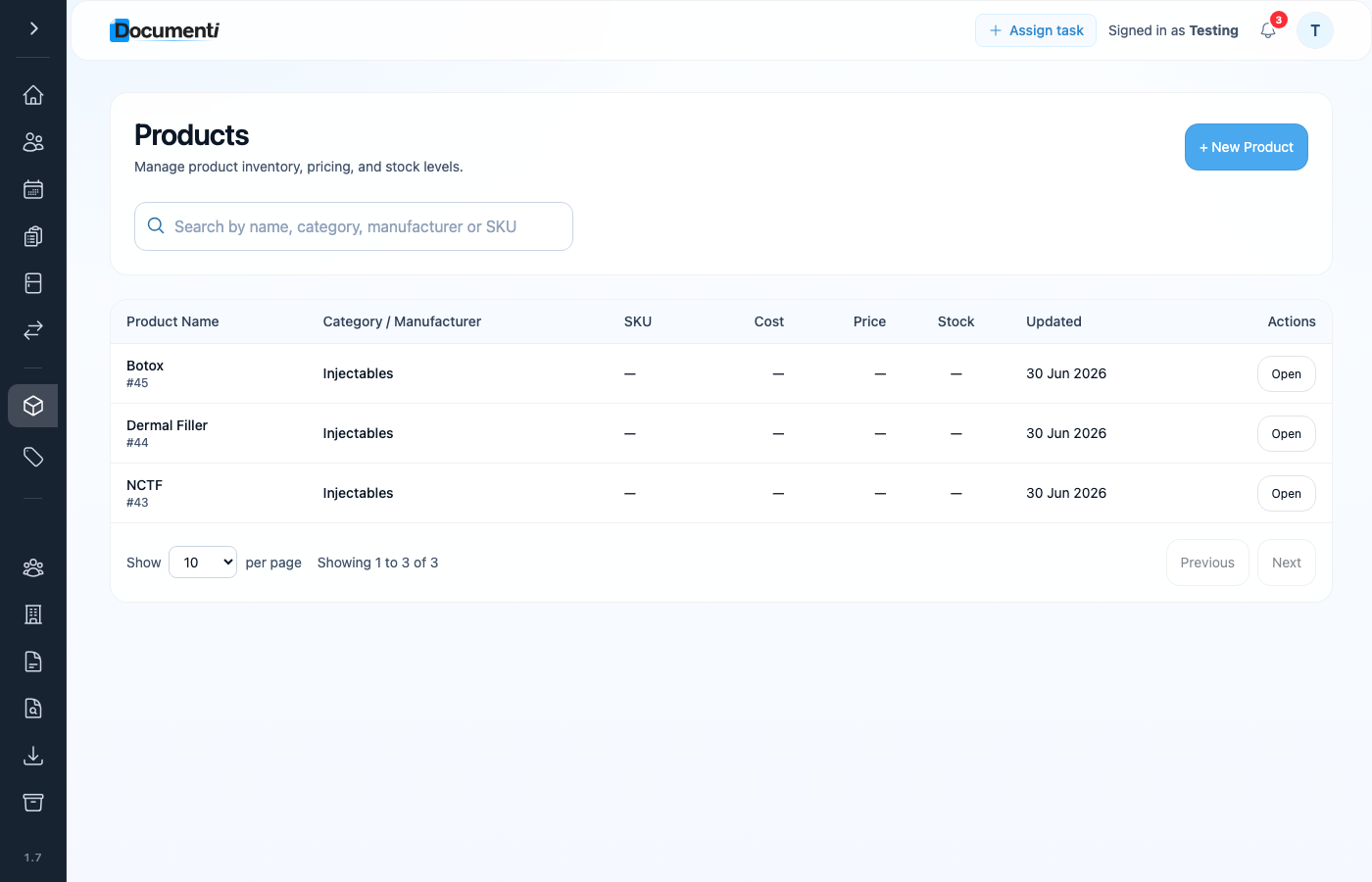
Product name and category
Enter the product name and choose a category (for example Injectables, Toxin, or Filler). Add type, manufacturer, and volume if useful for your team.
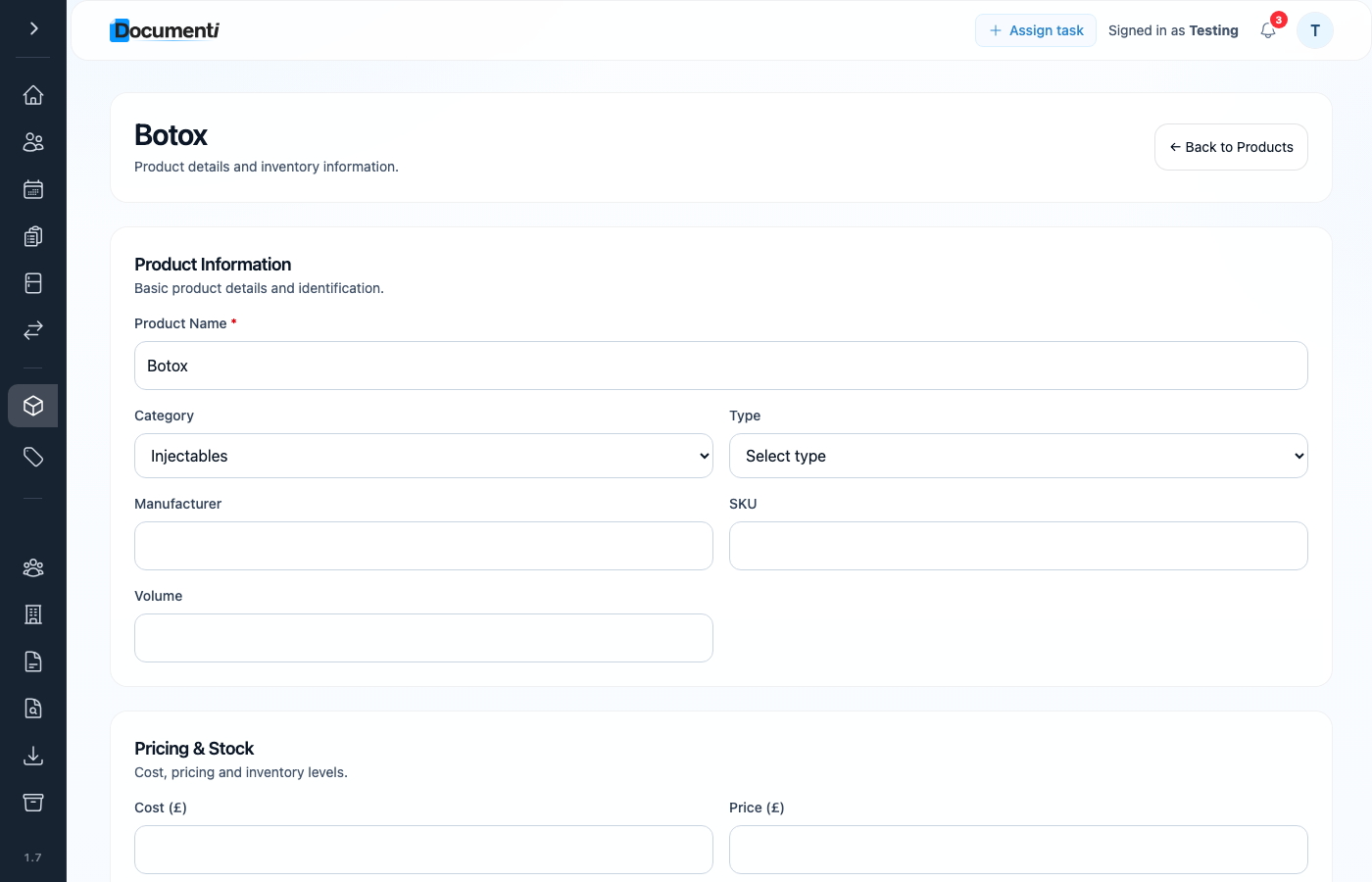
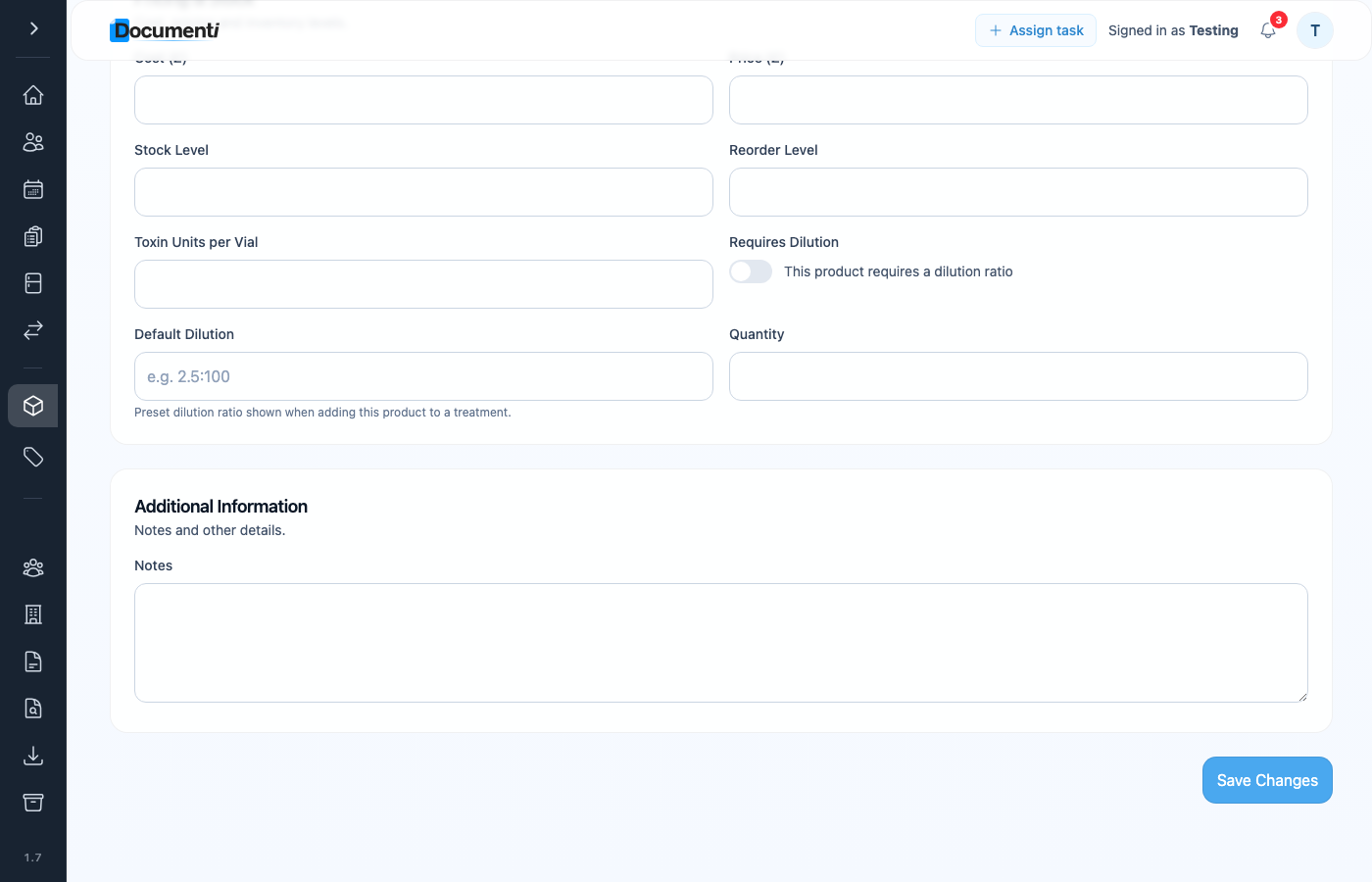
Default dilutions (optional)
For toxins and other products you reconstitute routinely, scroll to Pricing & Stock. Turn on Requires Dilution and set a default ratio, for example 2.5:100, so clinicians see the right preset when adding the product to a treatment map.
When stock arrives, log batches with batch number and expiry so treatment maps can select the correct vial.
Tip
If you want to track quantities and reorder levels for professional products, turn on stock management in Documenti Organization settings first. See Enable stock management on products. Then you can manage levels from Clinic Membership Stock as well. See Professional stock in Clinic Membership. Retail POS inventory is covered in Manage retail stock.
What happens next
Enable stock management on products
Turn on stock tracking in Documenti Organisation Settings.
Set up procedures in Documenti
Link procedures to the products and consents each treatment needs.
Professional stock in Clinic Membership
Stock takes and levels from the Clinic Membership Stock page.
Manage retail stock
Retail product stock for POS (not Documenti).
