


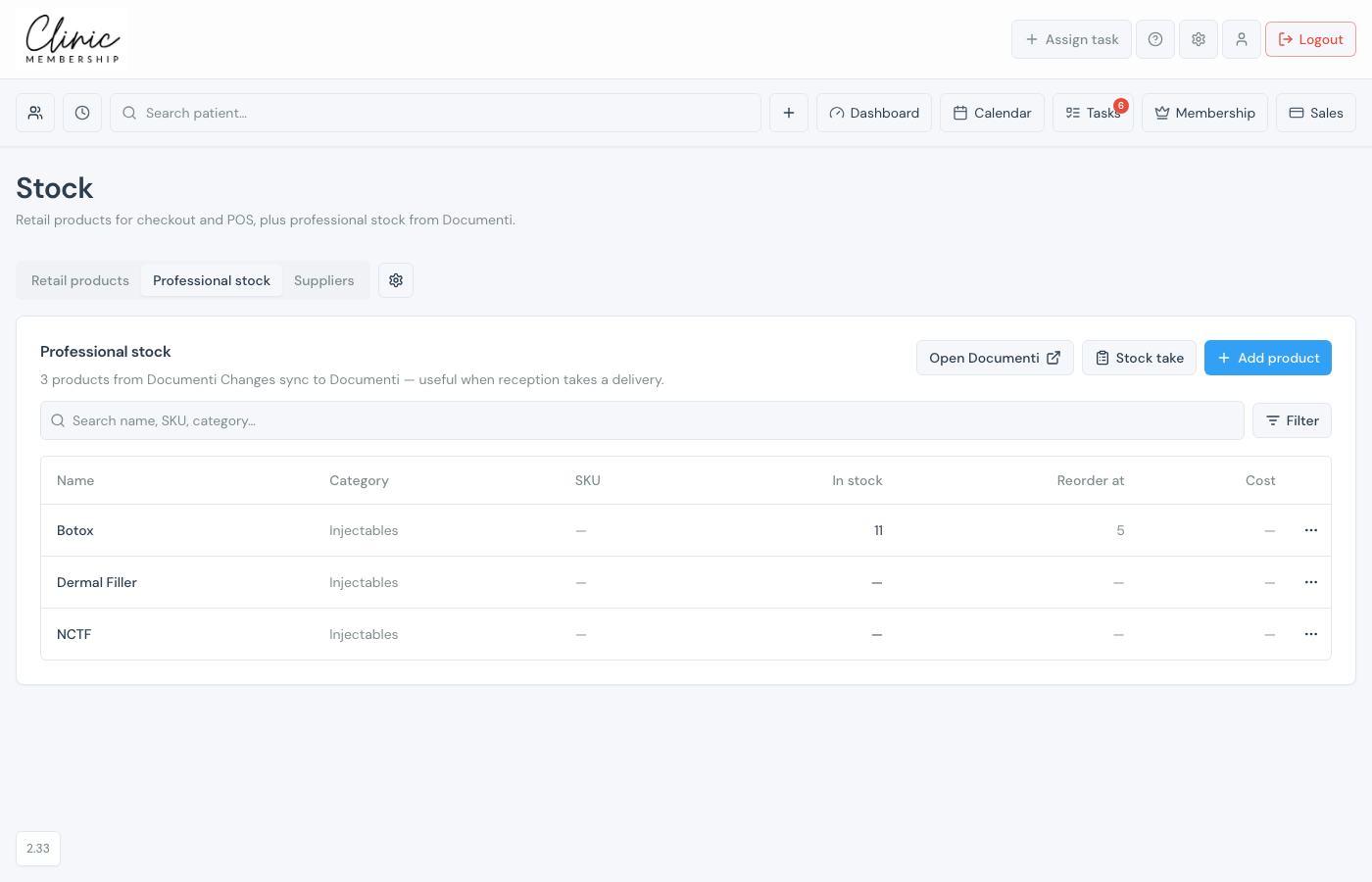
Professional stock is treatment-room inventory (toxins, fillers, and similar) stored in Documenti. When Documenti is connected, Stock shows a Professional stock tab so reception can record deliveries and stock takes without leaving Clinic Membership. Changes sync back to Documenti.
Note
This tab only appears when Documenti is connected. Retail skincare for POS stays on Retail products: the two catalogues are separate.
Tip
Not every clinic tracks professional stock numbers. In Documenti, turn on stock management first if you want quantities, reorder levels, and stock takes. See Enable stock management on products. Once that is on, you can manage those levels from Clinic Membership Stock as well as in Documenti.
Open professional stock
- Go to Sales → Stock (or Admin → Stock).
- Open the Professional stock tab.
- If you have more than one mapped clinic, pick a location, or All locations to see stock at every site.
- Search or Filter for low / out of stock.
Add, adjust, or stock take
- Click Add product to create a professional product in Clinic Membership (it pushes to Documenti).
- Open a product to see In stock for each location. Reorder at, cost, and price stay the same for the product. Then save.
- Click Stock take or Receive stock. Change location in that sheet if you need to count another site.
- Use Open Documenti when you need batches, expiry dates, or dilution setup that lives only in Documenti.
Tip
When you add a location, pick its Documenti clinic so professional levels stay correct per site. Change a pair later under Stock settings. See Set up clinic locations and Stock settings and low-stock alerts.
What happens next
Enable stock management on products
Turn on stock tracking in Documenti Organisation Settings.
Set up professional products in Documenti
Categories, dilutions, and batches in Documenti.
Set up clinic locations
Pick the Documenti clinic when you add a location.
Stock settings and low-stock alerts
Change a clinic pair, alerts, and Documenti tasks.
Stock reports
Professional stock and movement reports.
Manage retail stock
Retail products for POS.
