


Team logins let staff use the admin app. To show someone on the diary and let patients book with them, they also need to be marked as a bookable clinician and given working hours on a rota.
Enable booking for a clinician
- Go to Settings → Team.
- Under Team logins, add the person if they are not already there. See Add team members and staff logins for roles and passwords.
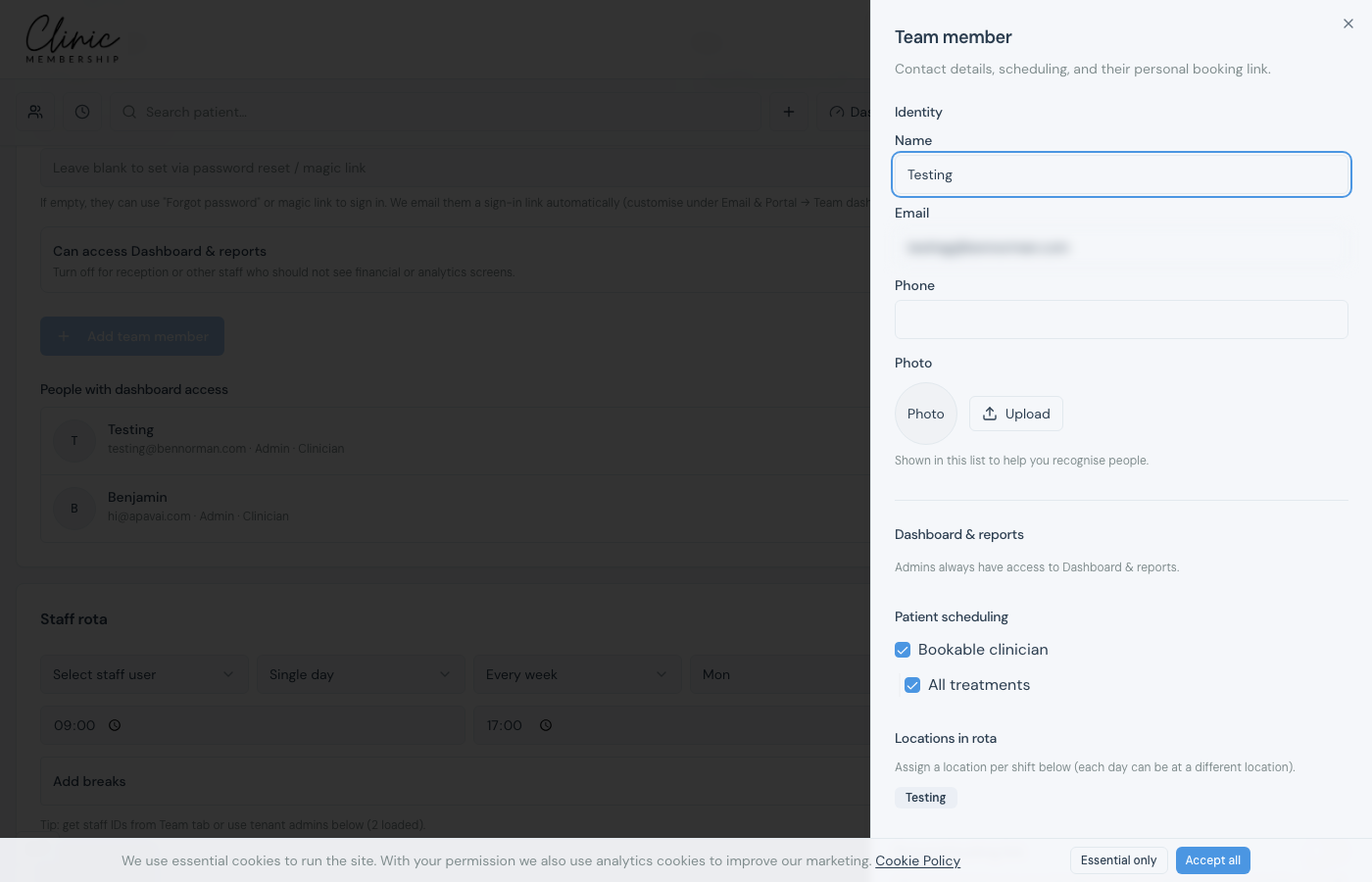
- Click their name in the team list to open their panel.
- Under Patient scheduling, switch on Bookable clinician.
- Optional: limit which treatments they can perform, or leave All treatments on.
- Scroll to Staff rota on the same tab (or on their panel) and add working hours, including location if you use more than one site.
- Click Save settings at the bottom of the page.
Tip
With two or more bookable clinicians, the calendar shows a Clinician filter (Everyone or a named person). Patients can also pick a clinician on your online booking page when that step is enabled.
