


Each person who needs the admin dashboard gets their own login. Admins can change clinic settings; staff can manage patients, calendar, and sales but not Settings. Team logins require a Founders plan or above.
Add a team member
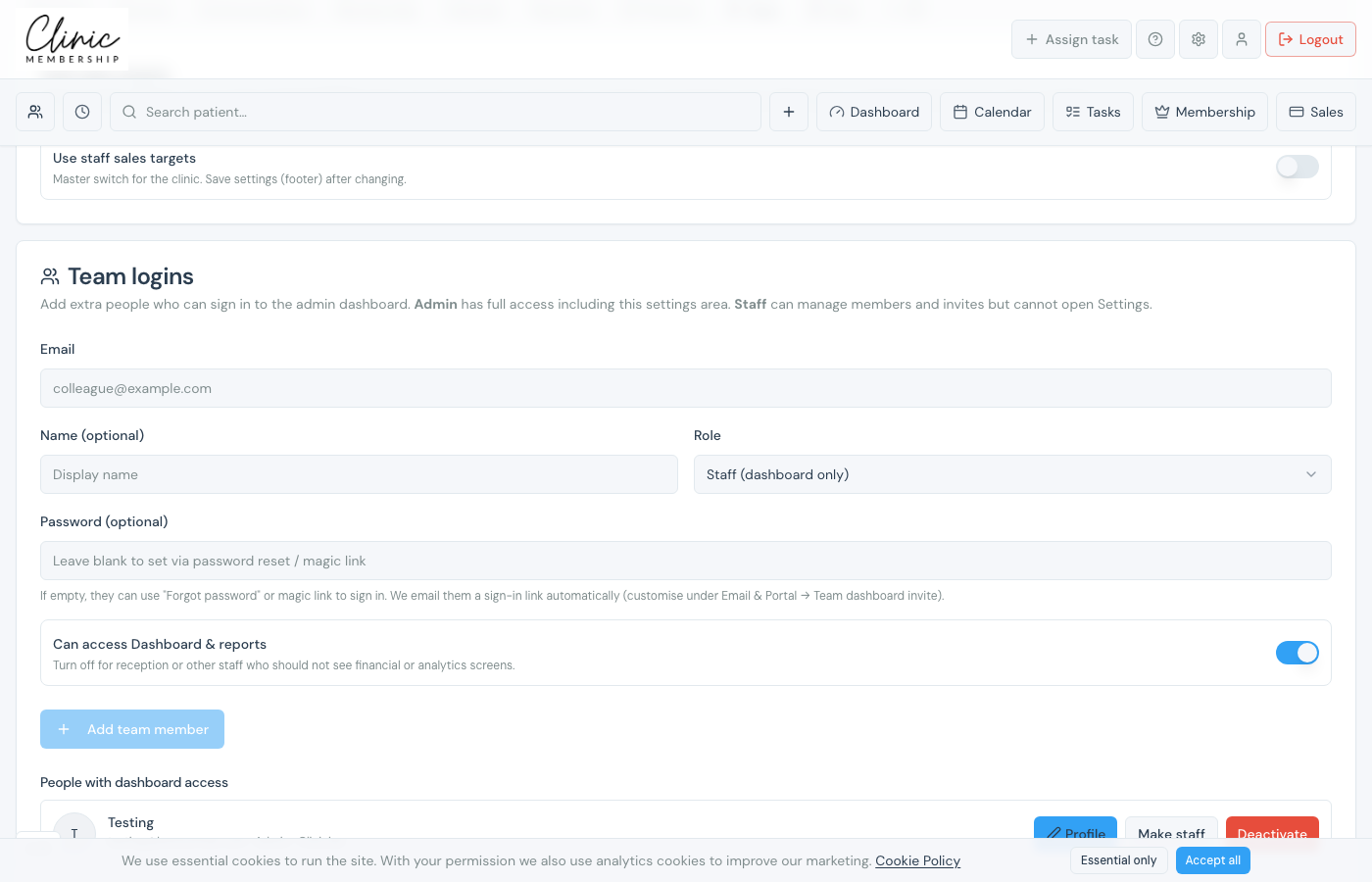
- Go to Settings → Team.
- Scroll to Team logins.
- Enter their email and optional name.
- Choose Role: Admin (full access) or Staff (dashboard only).
- Optional: set a password now, or they can reset on first login.
- For staff: switch on Can access Dashboard & reports if they should see KPIs.
- Click Add team member.
Tip
Click a team member’s name to open their panel, rotas, time off, calendar sync, and sales targets live there.
Note
Using Documenti? Add each clinician in Documenti with the same email as their Clinic Membership login so appointments, tasks, and the daily list match the right person.
What happens next
Add a bookable clinician
Mark clinicians as bookable on the diary.
Set staff rotas
Set working hours for each clinician.
Sync Google or Apple Calendar
Connect each clinician’s calendar.
Set up users in Documenti
Match the same emails in Documenti for sync.
Reports and dashboards for owners
Control who can see Dashboard & reports.
