


SMS (text) reminders sit alongside your email reminders. Patients need a mobile number on their record. You turn SMS on in Communications, confirm the per-text charge, then choose appointment reminders and optional smart waitlist alerts.
Note
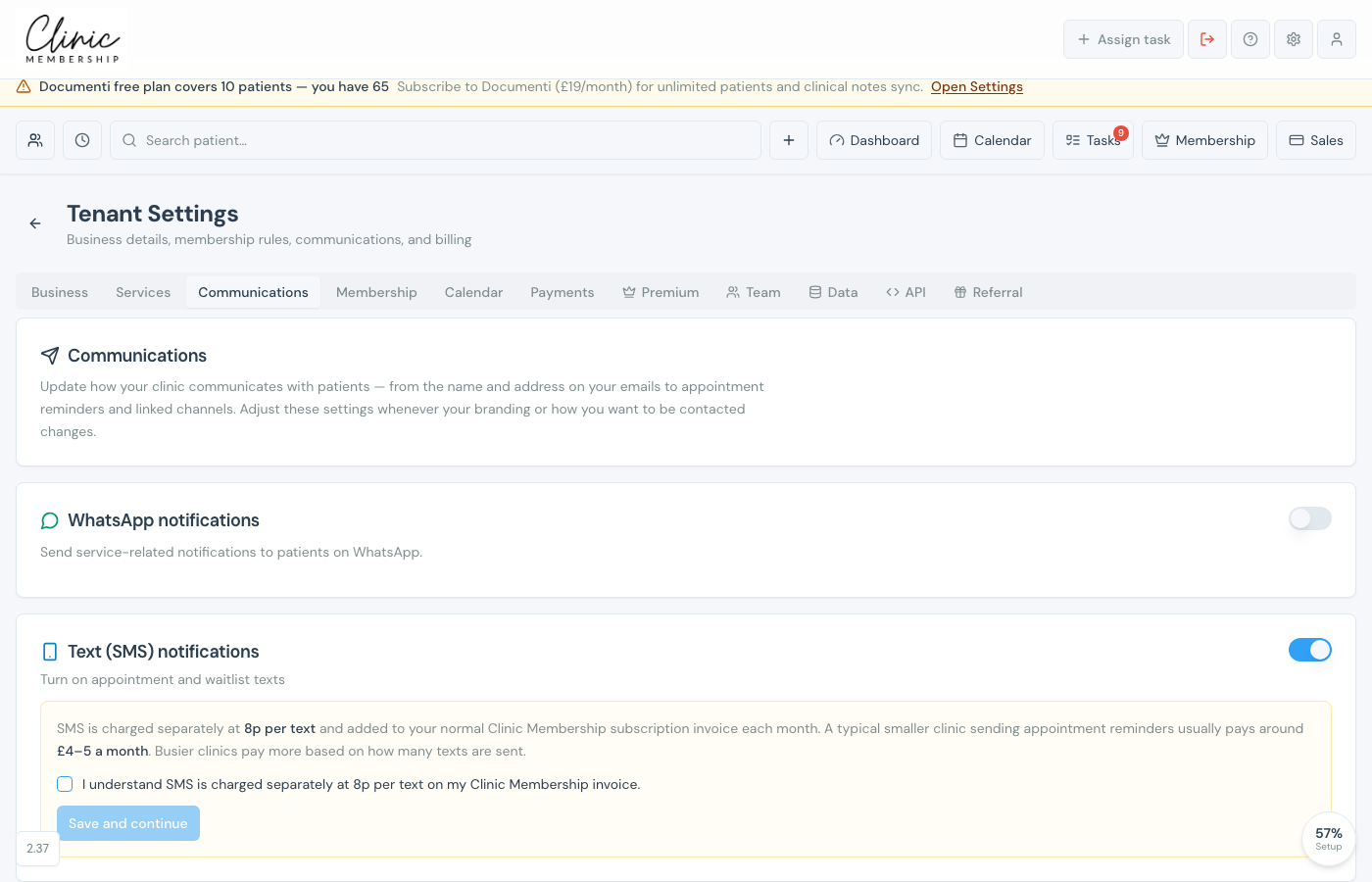
SMS is charged at 8p per text on your Clinic Membership subscription invoice each month, not billed by a separate SMS company account. A quieter clinic often lands around £4–5 a month for reminders; busier clinics pay more based on volume. Usage and an estimate show in settings after you enable SMS.
Tip
If you also use WhatsApp notifications, each patient can receive mobile reminders on WhatsApp or SMS, never both. They (or you on the patient card) pick one channel. Email reminders still send as usual.
Turn on SMS in Clinic Membership
- Go to Settings → Communications.
- Find Text (SMS) notifications.
- Switch the toggle on: the setup panel opens.
- Tick I understand SMS is charged separately at 8p per text on my Clinic Membership invoice.
- Click Save and continue.
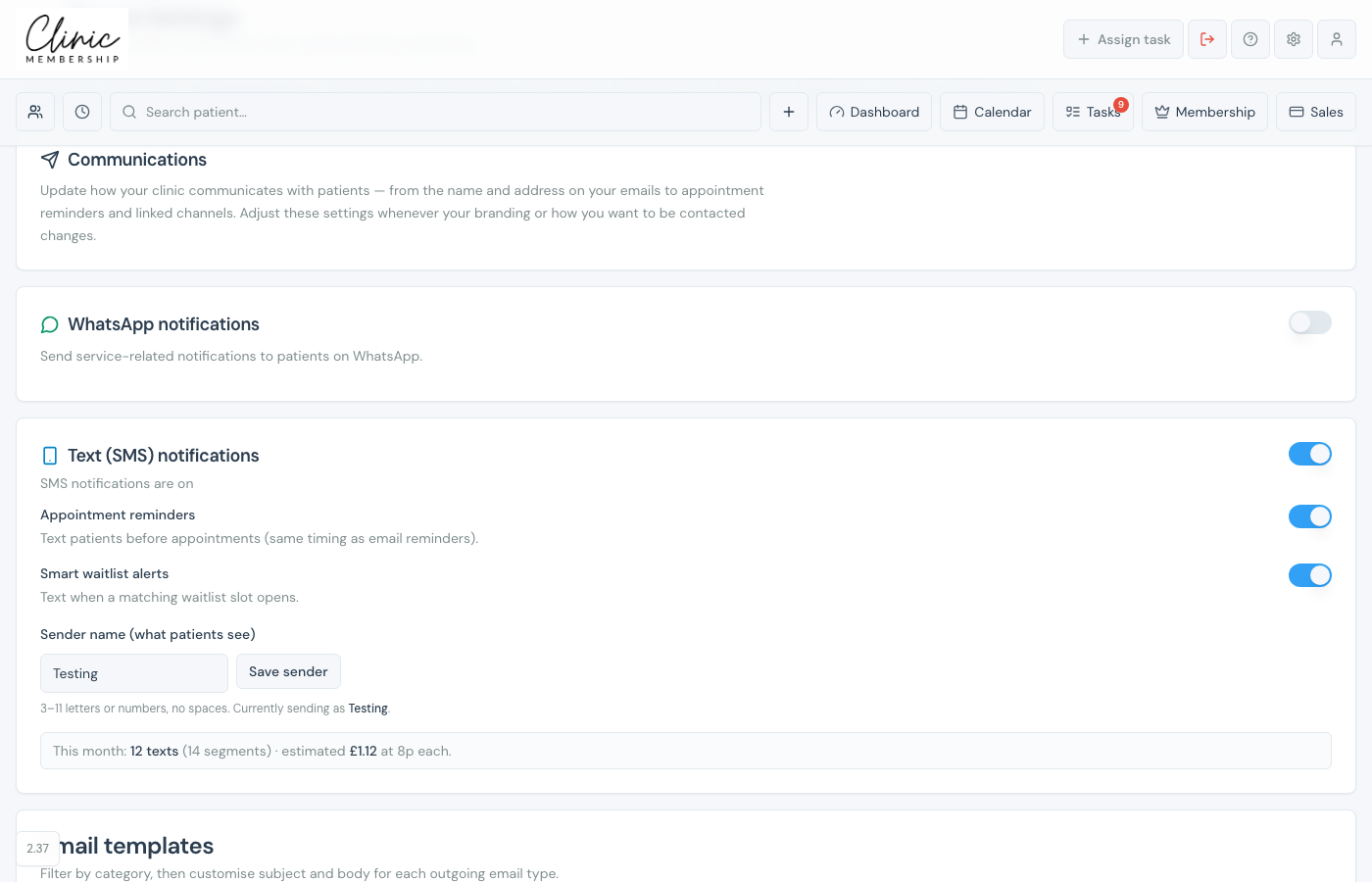
- Turn on Appointment reminders (timing matches your email reminder setting). Optional: turn on Smart waitlist alerts. Set Sender name (3–11 letters or numbers, no spaces), click Save sender, and check This month for usage and estimated cost.
Note
If SMS is not available on this environment yet appears instead of the toggles, contact Clinic Membership support to have SMS switched on for your clinic.
Patient preferences
- Patients need a mobile number on their card for SMS to send.
- On the patient card under Preferences, staff can set Receive reminders by SMS (or choose WhatsApp vs SMS when both channels are on for the clinic).
- Patients can also update this in their member account when they sign in.
- Prefer email only turns off WhatsApp and SMS for that patient; email reminders continue.
What happens next
Send appointment reminders
Set how far ahead email (and matching SMS) reminders go out.
Connect WhatsApp notifications
Optional WhatsApp: patients pick WhatsApp or SMS, not both.
Set up the waitlist
Smart waitlist, pairs with SMS waitlist alerts.
Find, edit, block and merge patient records
Keep mobile numbers, address, and date of birth on the patient card.
