


Stock settings live behind the gear icon on the Stock page (next to the Retail / Professional / Suppliers tabs). Set who is responsible when stock hits its reorder level, map Documenti clinics, turn on mail-order postage, and import or export CSV.
Open stock settings
- Go to Sales → Stock.
- Click the gear icon beside the tabs (Stock settings).
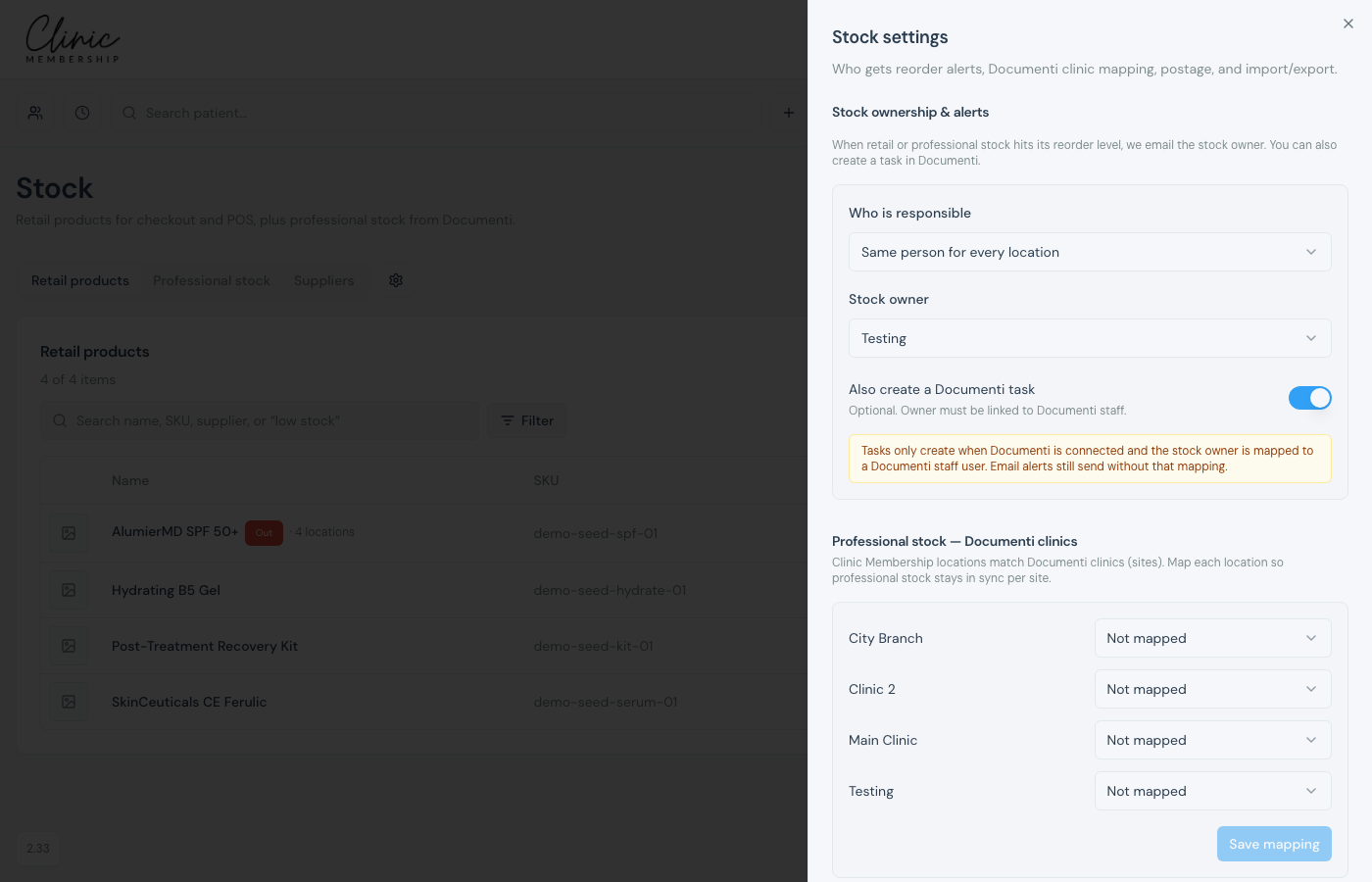
Who gets low-stock alerts
- Under Stock ownership & alerts, choose Same person for every location, or Different person per location when you have more than one site.
- Pick the stock owner (or one owner per location).
- Optional: turn on Also create a Documenti task: a reorder task is assigned to that person the first time an item is low or out (it is not re-created on the weekly email).
Note
Email alerts go to the stock owner for that location as one weekly list of everything currently out of stock or running low. Documenti tasks only create when Documenti is connected and the owner is mapped to a Documenti staff user, emails still send without that mapping. The email is sent at most once a week; tasks are not duplicated on the weekly reminder.
Documenti clinic mapping
When you add a location and Documenti is connected, pick its Documenti clinic on the location form. The first site maps to your default clinic. Under Professional stock: Documenti clinics you can change those pairs later. Click Save mapping when you edit a row.
Note
A second location that is not mapped is skipped for professional low-stock alerts. It does not use the default Documenti clinic.
Postage, default location, and CSV
- Mail-order postage: turn on and set a £ amount when you ship retail products.
- Default stock location, used for multi-site POS when a sale has no appointment location.
- CSV import / export, import retail products with a preview and column map, or export your catalogue.
What happens next
Manage retail stock
Set reorder levels on retail products.
Set up clinic locations
Pick the Documenti clinic when you add a location.
Professional stock in Clinic Membership
Professional stock and stock takes.
Stock reports
See low and out-of-stock in reports.
Assign tasks to your team
How tasks work in Clinic Membership.
